3 Press the ENTER/MARK button to execute the full
formatting, or press the (HOME) [8] button to
cancel formatting.
CAUTION
When formatting a card, the unit should be operating on
AC power supplied through the PS-P515U adapter (sold
separately), USB bus power supplied from a computer, or
batteries with sucient remaining power. If the power fails
during formatting, the formatting may not occur correctly.
Setting the format of file names
You can select the format of names given to les recorded by
this unit.
1 Press the MENU button to open the
MENU
screen.
2 Use the + or − button to select
OTHERS
, and press the
ENTER/MARK or / button to open the
OTHERS
submenu.
3 Use the + or − button to select
FILE
NAME
, and press the
ENTER/MARK or / button.
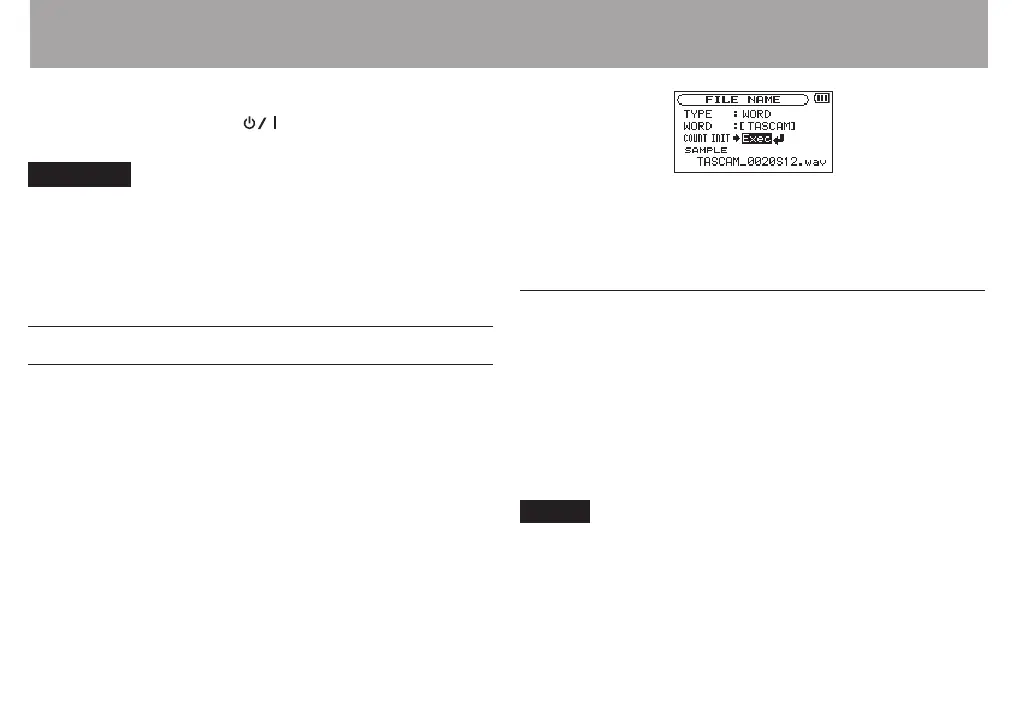
FILE
NAME
screen appears.
Use the . or / button and the + or − button to set each
item.
On this screen you can make the following settings for each
item.
File name format
The
TYPE
item can be set to either
WORD
(default setting) or
DATE
.
WORD: When set to
WORD
, a 6-character le name is used as
the beginning of each le name.
Example: TASCAM_0001S12.wav
DATE: The date is used as the le name (in yymmdd format).
Example: 110101_0000.wav
NOTE
The date is set using the unit’s internal clock. (See “Setting the
date and time” on page 37.)
12 – Settings and Information



 To Next Page