Creating a new folder
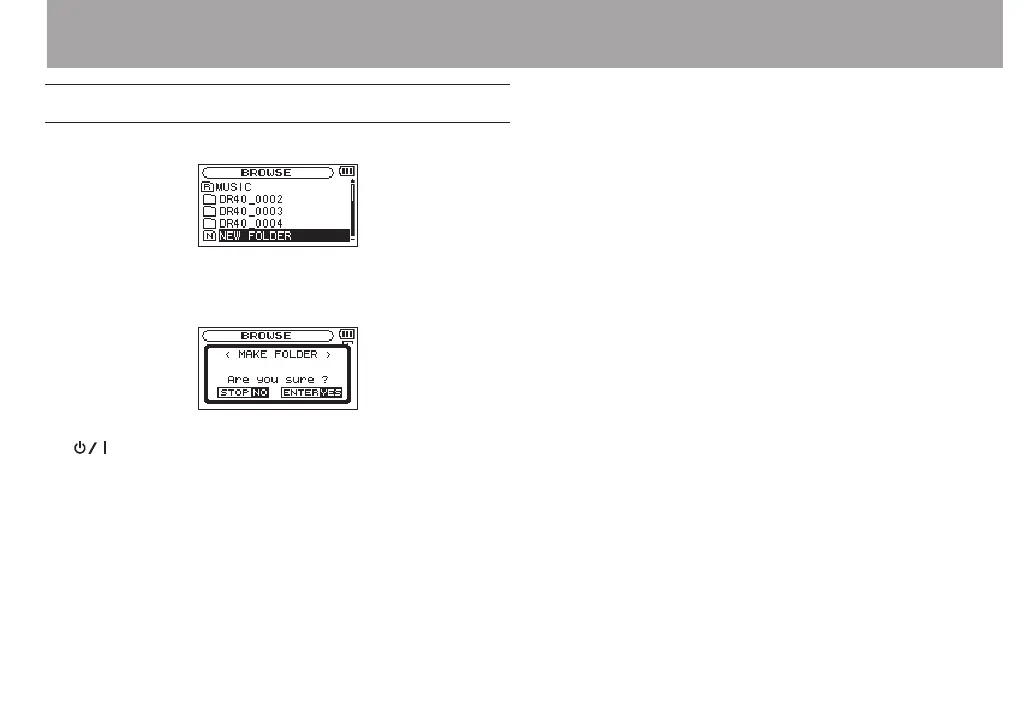
In the le list,
NEW
FOLDER
appears at the bottom.
Select (highlight)
NEW
FOLDER
, and press the ENTER/MARK or
/ button. A pop-up appears to conrm that you want to
create a new folder.
Press the ENTER/MARK button to create a new folder or press
the (HOME) [8] button to cancel.
Note that the unit supports only a two-level folder structure,
and accordingly
NEW
FOLDER
does not exist in the second-level
folders.
A newly created folder becomes the current one, and new
recorded les are saved in this folder. If the playback area has
been set to
FOLDER
, this folder becomes the playback area.
5 – Working with Files and Folders (BROWSE screen)



 To Next Page