9 – Mixer
This recorder has a mixer function that allows you to set
the built-in eect, stereo balance and volume level for each
channel.
During mixdown (see “Mixdown” on page 91) and playback,
you can make ne adjustments to the recorded sound by
using this.
Making mixer settings
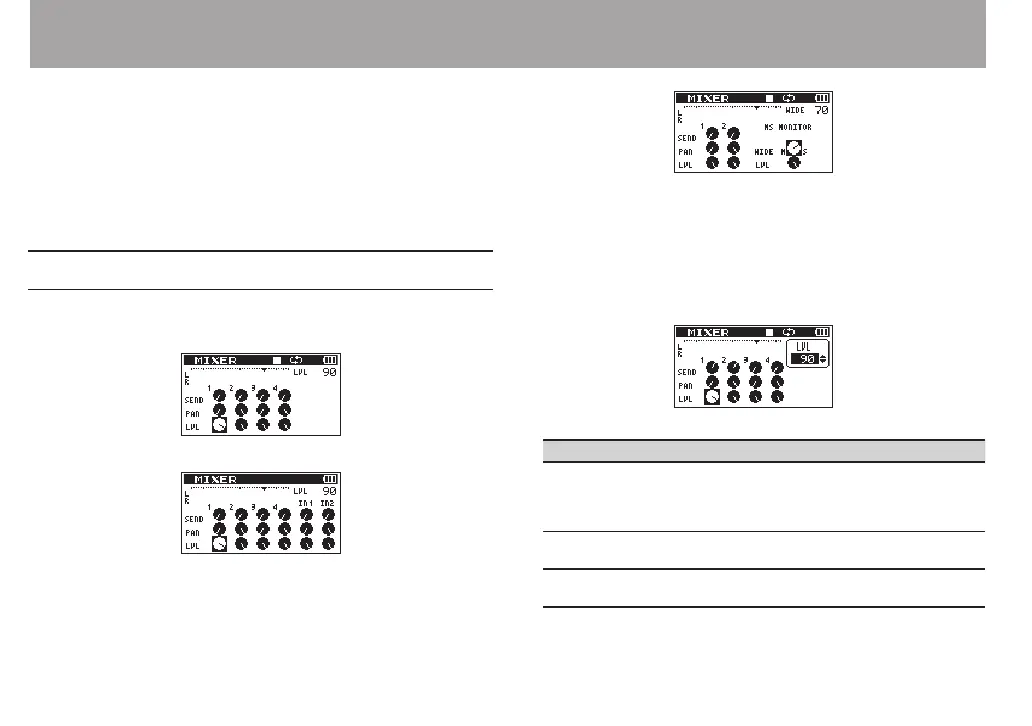
1 From the Home Screen, press the MIXER button to open
the
MIXER
screen.
During 4-channel le playback
During overdubbing (mix) mode
During 4-channel le playback (MS decoding of channels 3/4)
2 Use the . and / buttons and the + and – buttons
to move to and select the item that you want to adjust.
Each column is a channel and each row is a setting type.
3 Press the ENTER/MARK button to open the setting
name and value in a pop-up window at the top right.
4 Use the + and – buttons to change the setting value.
Item Setting range Operation details
SEND 0–100
Adjusts the send level of the selected
eect is used on the signal
(see 8–Using the Eects” on page 92)
(0 (min.)–100 (max.))
PAN/
BAL
L12–C–R12
Adjusts left-right balance
(L12 (left)–C (center)–R12 (right))
LEV 0–100
Volume level
(0 (min.)–100 (max.))



 To Next Page