Powering the unit
DR-40 can operate on three AA batteries, or through an
optional AC adapter (TASCAM PS-P515U) or USB cable
provided with the unit (USB bus power).
Alkaline or Ni-MH batteries can be used.
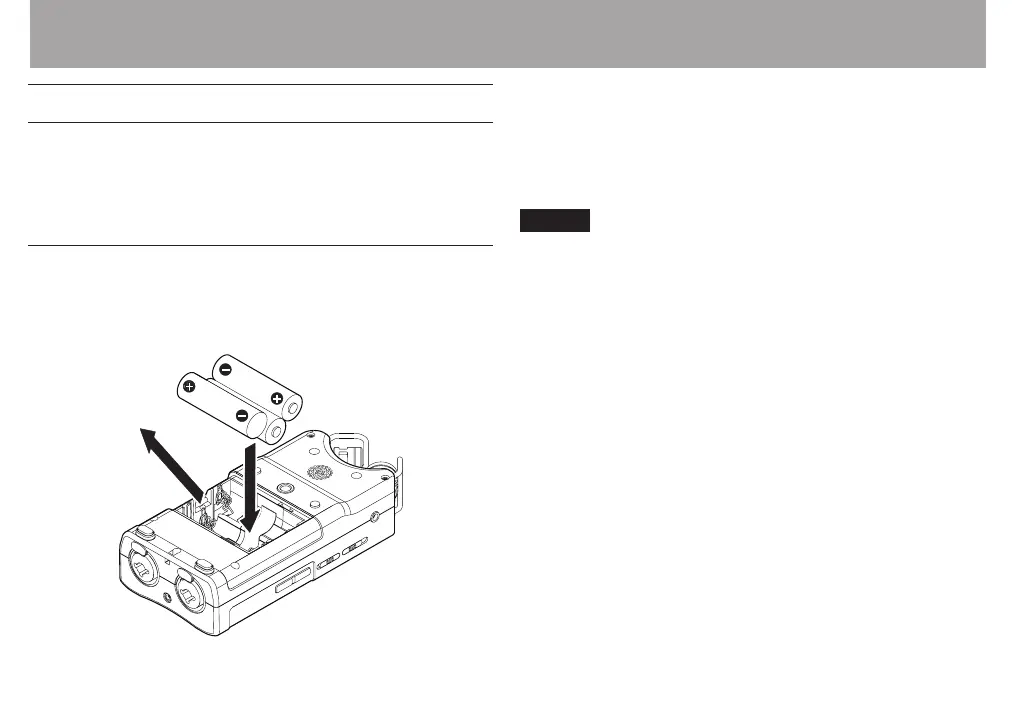
Using AA batteries
Open the battery compartment cover on the back of the
unit. Fit three AA batteries to the + and – marks shown in the
compartment, and close the battery compartment cover.
When using AA batteries, set the type of battery in order to
accurately show the amount of power remaining and allow
the unit to accurately determine whether power is available
for proper operation. (See “Setting the type of AA batteries” on
page 102.)
NOTE
Manganese dry cell batteries (R6) cannot be used with this
•
unit.
This unit cannot recharge Ni-MH batteries. Use a
•
commercially available recharger.
The included alkaline batteries are for conrming operation
•
of the unit and might not last very long.
Before putting the bottom battery in, put the ribbon
•
inside the compartment rst. Failure to do so could make
removing the batteries dicult.
A great amount of power is required to provide phantom
•
power to a condenser microphone. If you use a condenser
microphone while running the unit on AA batteries (Ni-
MH rechargeable or alkaline), the operation time will be
greatly shortened because of their low capacities. If you
need to operate the unit for a long time, use the AC adaptor
(TASCAM PS-P515U) or the USB cable provided with the
unit (USB bus power).
3 – Preparation



 To Next Page