Recording 4 channels
You can use the built-in mics with connected external mics or
equipment to record four independent channels as two stereo
recording les (channels 1/2 and 3/4).
Making 4-channel recording settings
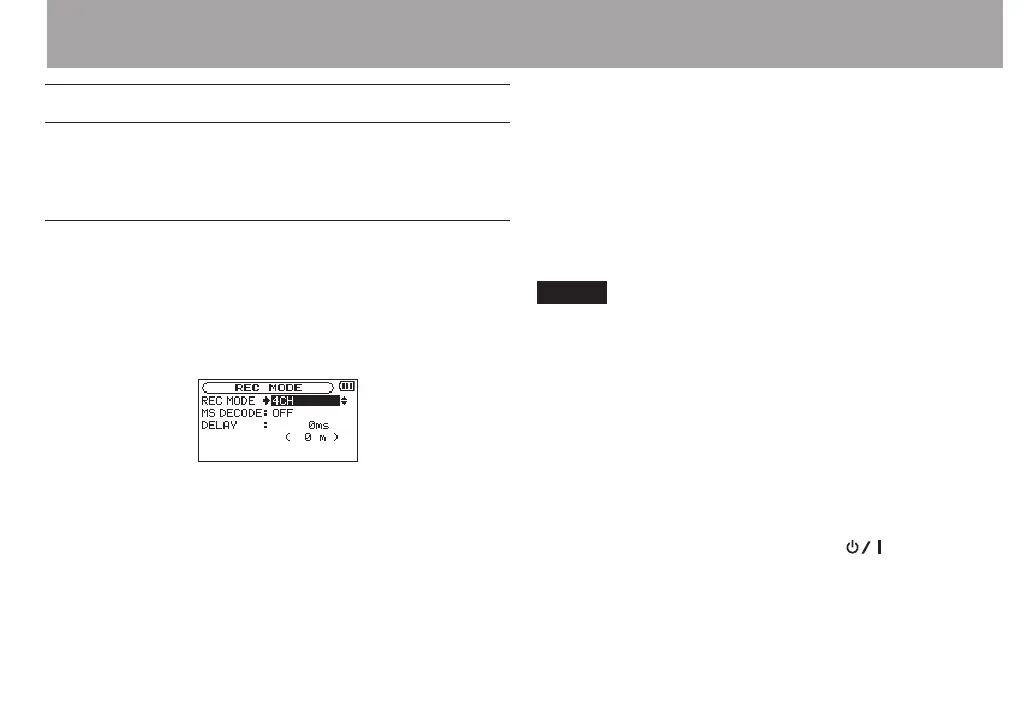
1 Press the REC MODE button to open the
REC MODE
screen.
2 Use the + and – buttons to select
REC MODE
, and press
the ENTER/MARK or / button.
3 Use the + and – buttons to set it to
4CH
.
4 Press the . button to return to setting item
selection.
5 When using MS mics, use the + and – buttons to select
MS DECODE
, and press the ENTER/MARK or / button.
Use the + and – buttons to set
MS DECODE
to
ON
.
6 Press the . button to return to setting item
selection.
7 Use the + and – buttons to select
DELAY
, and press the
ENTER/MARK or / button.
8 Use the + and – buttons to set the value according to
the distance between the built-in mics and external
mics.
Options:
INT 30ms (10m)
–
EXT 30ms (10m)
(default
value: 0ms (0m))
The values are in milliseconds (ms) and meters (m).
NOTE
If the built-in mics (channels 1/2) are far apart from the
•
external mics (channels 3/4), a time delay will occur in
recording. Use the
DELAY
setting to eliminate this time
delay in recording.
If the sound source is closer to the built-in mics, use an
•
INT
XXms (XXm)
setting according to the dierence in distance
to the external mics.
If the sound source is closer to the external mics, use an
•
EXT
XXms (XXm)
setting according to the distance to the built-
in mics.
9 When setting is complete, press the (HOME) [8]
button to return to the Home Screen.
4 – Recording



 To Next Page