CAUTION
This deletes all the les in the selected project.
CANCEL
The operation for the selected (highlighted) le is canceled,
and the pop-up menu is closed.
NOTE
The pop-up menu can also be closed by pressing the QUICK
button.
Folder operations
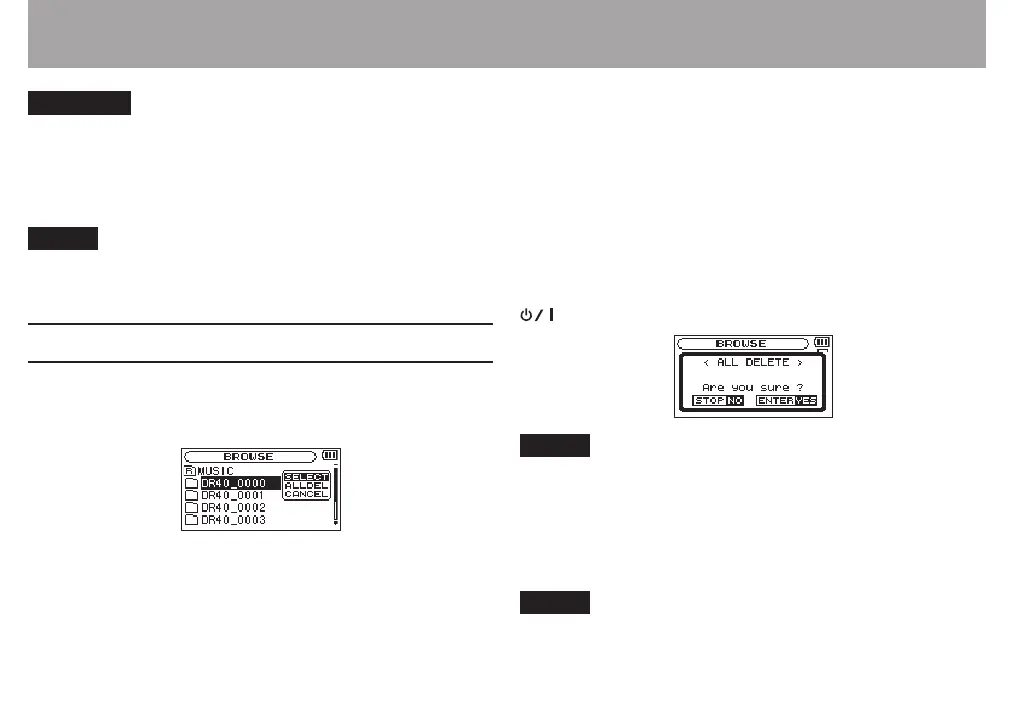
Select the desired folder on the
BROWSE
Screen and press the
QUICK button to open the pop-up window that is shown
below.
Use the + or − button to select the item you want from the
following list and press the ENTER/MARK button to execute
it.
SELECT
Returns to the Home Screen and selects the rst le in the
folder. Regardless of the previous setting, the playback area is
set to
FOLDER
, and this folder becomes the new playback area.
When recording, les are created in this folder.
ALL DEL
A pop-up message appears to conrm that you want to delete
all the les in the selected folder at once.
Press the ENTER/MARK button to erase the les or press the
(HOME) [8] button to cancel.
NOTE
You cannot erase read-only les and les that are not
recognized by this unit.
CANCEL
The operation for the selected (highlighted) le is canceled,
and the pop-up menu is closed.
NOTE
The pop-up menu can also be closed by pressing the QUICK
button.
5 – Working with Files and Folders (BROWSE screen)



 To Next Page