FILE SWAP
Files recorded during the following recording modes can be
swapped.
4CH mode:
A file recorded by the built-in mics (channels 1/2) can
be swapped with a file recorded by external mics or
equipment (channels 3/4).
Example:
TASCAM_0002S12.WAV q TASCAM_0002S34.WAV
TASCAM_0002S34.WAV q TASCAM_0002S12.WAV
OVERDUB SEPARATE mode:
[1] The playback le and a newly recorded le can be
swapped.
Example:
TASCAM_0004S12.WAV q TASCAM_0004S34.WAV
TASCAM_0004S34.WAV qTASCAM_0004S12.WAV
The above is the same as swapping File-A and File-B as
described on page 61.
[2] A newly recorded le and a virtual le saved based on it
can be swapped.
Example:
TASCAM_0004S34.WAV q TASCAM_0004V34t1.WAV
TASCAM_0004V34t1.WAV q TASCAM_0004S34.WAV
The above is the same as swapping File-B and File-C as
described on page 61. In addition, since you can choose
the virtual le freely when swapping the above, you can
also swap File-B and File-D as on page 61.
However, you cannot swap two virtual les (for example,
File-C and File-D as on page 61).
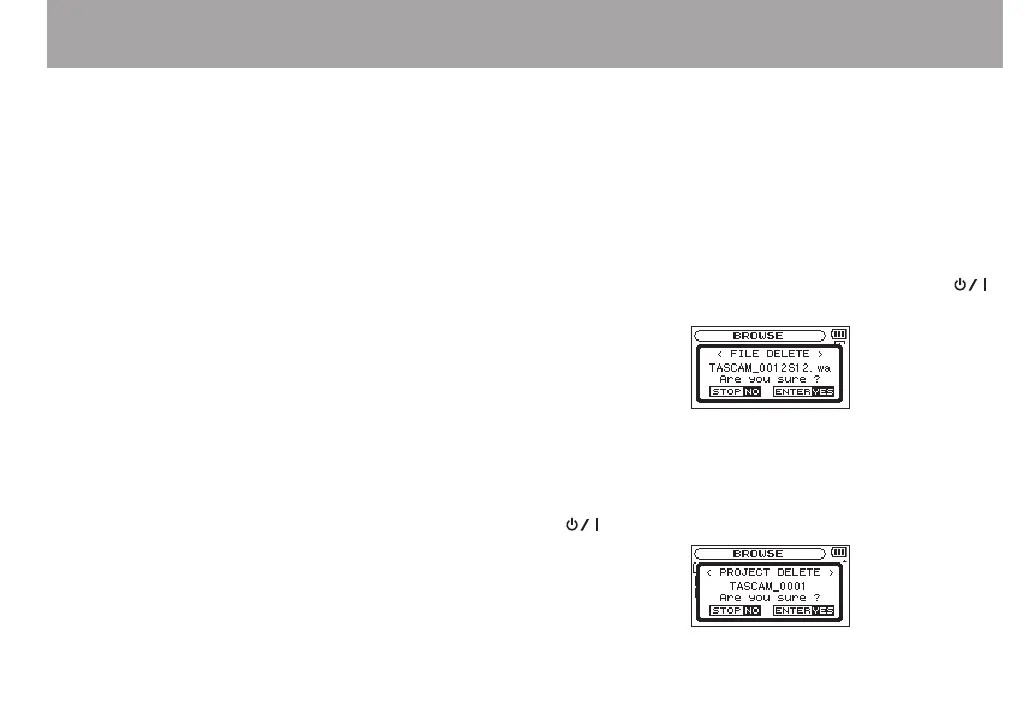
FILE DELETE
A message appears to conrm that you want to delete the le.
Press the ENTER/MARK button to erase the le and the
(HOME) [8] button to cancel the deletion operation.
PROJECT DEL
A pop-up message appears conrming that you want to erase
the project containing the selected le.
Press the ENTER/MARK button for each project to erase. Press
the (HOME) [8] button to cancel deletion.
5 – Working with Files and Folders (BROWSE screen)



 To Next Page