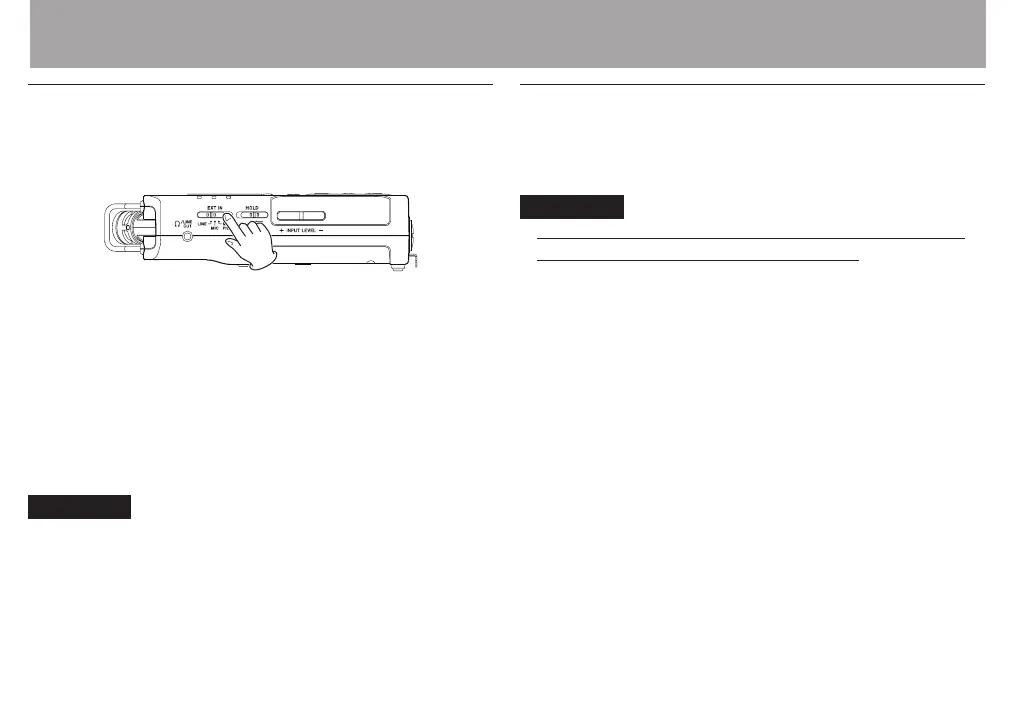
Setting the external input type
When using an external input source, set the EXT IN switch
on the left side panel according to the type of equipment
connected.
LINE:
Use this setting when connecting line output jacks of external
devices to the analog inputs of this recorder.
MIC:
Use this setting when connecting mics to the recorder.
MIC+PHANTOM:
Use this setting when connecting condenser mics that require
phantom power (+24V or +48V) to the recorder.
CAUTION
Depending on this setting, the input level setting range
changes. For this reason, the input level might change greatly
when this setting is changed. Before changing it, you should
turn the power OFF or turn the output level all the way down.
Using phantom power
When the EXT IN switch on the left side panel is set to
MIC+PHANTOM, phantom power (+24V or +48V) is turned on
and sent to the connected mics.
CAUTION
Conrm that phantom power is OFF before connecting a
•
line level device to a EXT MIC/LINE IN jack. If you connect
a line level device while phantom power is being supplied,
that device and this unit could be damaged.
When using a condenser microphone, before connecting
•
to and disconnecting from a EXT MIC/LINE IN jack, conrm
that the phantom power for that jack is OFF. If you connect
or disconnect a mic while phantom power is being supplied,
that mic and this unit could be damaged.
Turn phantom power ON only when using a condenser
•
microphone that requires phantom power.
Supplying phantom power to some types of ribbon
•
microphones could break them. Do not supply phantom
power to a ribbon microphone if you are in doubt.
When using USB bus power, the unit might not be able to
•
supply phantom power depending on the computer. In this
case, use a TASCAM PS-P515U AC adaptor (sold separately).
Some condenser microphones will not operate when
•
phantom power is set to +24V.
4 – Recording



 To Next Page