4 – Recording
In OVERDUB mode, the recording format and sampling
•
frequency used are the same as those of the playback le
regardless of the settings.
Overdubbing and dual recording cannot be used
•
simultaneously.
In OVERDUB mode, you cannot use the MS decoder.
•
If the playback le is a mono le, the recording le will also
•
be mono.
If the playback les are two 96 kHz WAV/BWF or two MP3
•
format les, recording cannot be conducted in MIX mode.
Mix them down to one le and then OVERDUB again (see
“Mixdown” on page 91).
If the playback le is mono, SEPARATE mode cannot be used
•
for recording. In this case, use MIX mode.
Setting the overdubbing mode
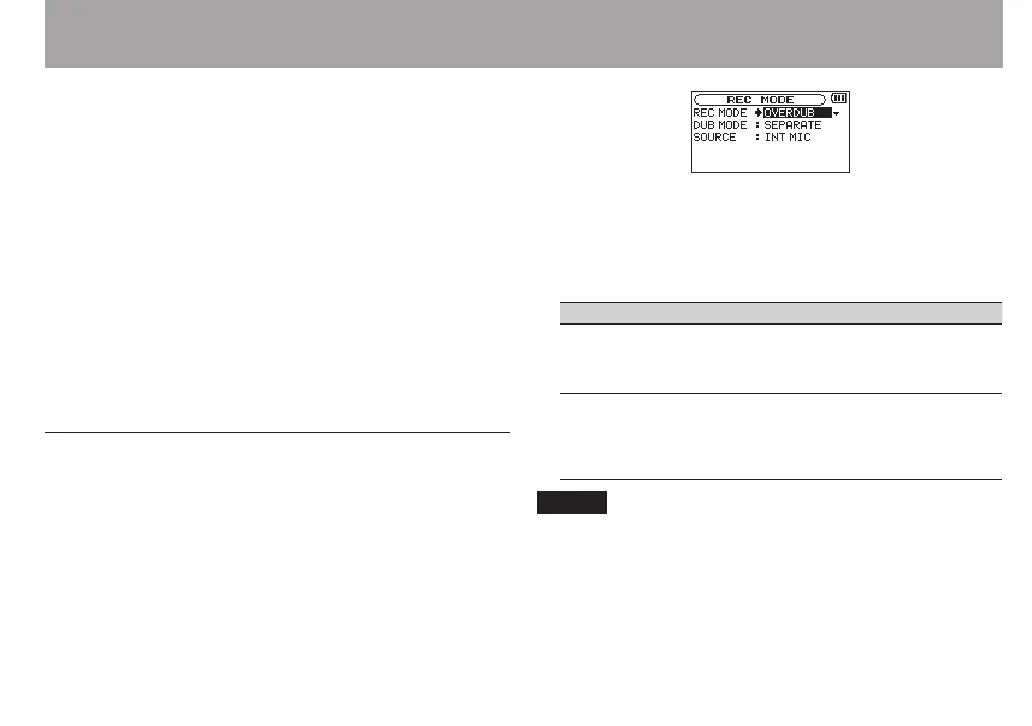
1 Press the REC MODE button to open the
REC MODE
screen.
2 Use the + and – buttons to select
REC MODE
, and press
the ENTER/MARK or / button.
3 Use the + and – buttons to set it to
OVERDUB
.
4 Press the . button to return to setting item
selection.
5 Use the + and – buttons to select
DUB MODE
, and press
the ENTER/MARK or / button.
6 Use the + and – buttons to set the overdubbing mode.
DUB MODE Explanation
MIX
The playback signals of the les on channels
1/2 and 3/4 and the input signals are mixed and
recorded as a new le.
The playback le will not be overwritten.
SEPARATE
(default
value)
The le on channels 1/2 is played back and a new
le is recorded on channels 3/4.
The playback signals of channels 1/2 are not
recorded.
The playback le will not be overwritten.
NOTE
When a le is recorded using
•
SEPARATE
mode, the playback
signal is not included in the recording.
Since a recording made in
•
SEPARATE
mode does not
include the playback signal, you can record again with the
same playback le as many times as you want. You can then



 To Next Page