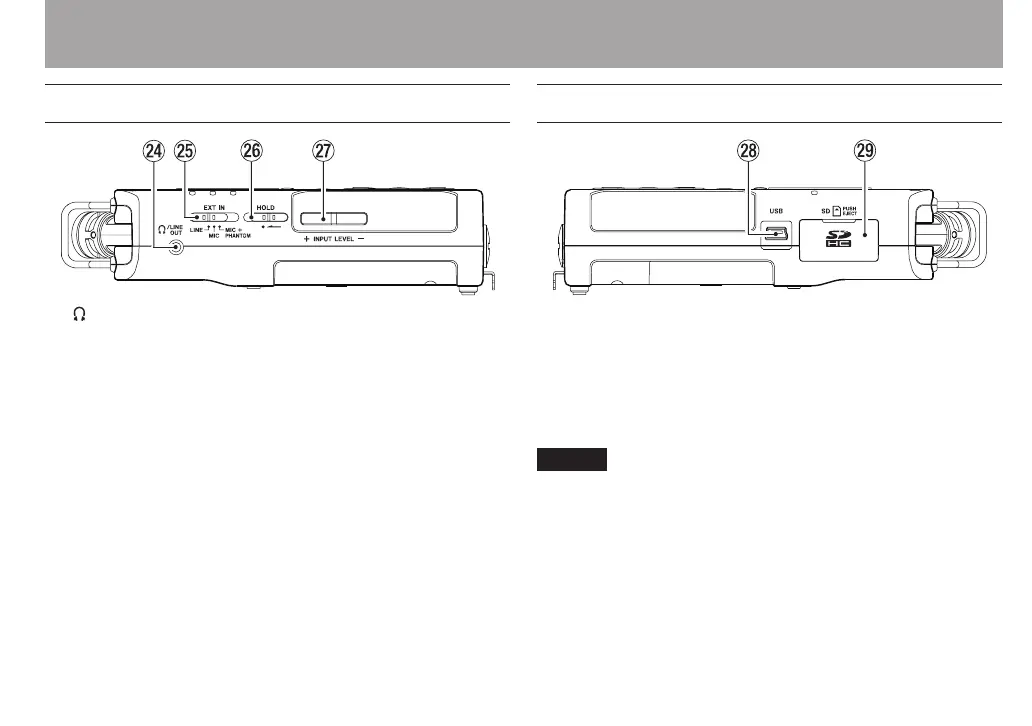
Left side panel
f /LINE OUT jack
Use this to connect with headphones or the line input jack
of an amp or other equipment.
g EXT IN switch
Use this to set the input type of the EXT MIC/LINE IN jacks
and whether phantom power is on or o.
h HOLD switch
Shift to the left end (in the direction of the arrow) to
engage the hold function.
All buttons are inoperative when hold is ON.
j INPUT LEVEL (+/–) buttons
Use these to adjust the input level.
During adjustment, the input level setting status will be
displayed in a pop-up window.
Right side panel
k USB port
Use the included USB cable to connect with a computer
USB port.
Power can be supplied through the USB cable provided
with the unit or an AC adaptor (sold separately: TASCAM
PS-P515U).
NOTE
Always connect the recorder directly to a computer. Do not
use a USB hub.
l SD card slot
Insert an SD card into this slot.
2 – Names and Functions of Parts



 To Next Page