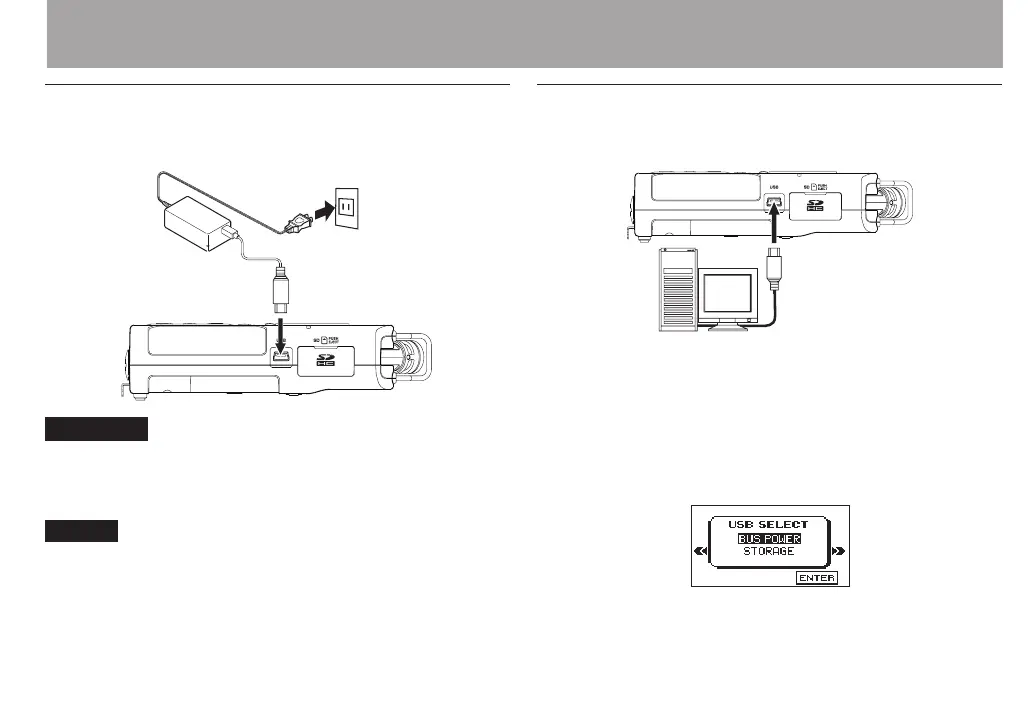
Using an AC adaptor (sold separately)
Connect the PS-P515U AC adaptor and the USB cable to the
USB port of the unit as shown in the illustration.
TASCAM
PS-P515U
(not supplied)
AC outlet
Mini-B USB plug
CAUTION
Never use any adaptor other than the designated PS-P515U
AC adaptor. Use of a dierent adaptor could cause
malfunction, re or electric shock.
NOTE
Noise may occur when recording with a microphone if the
•
unit is too close to the AC adaptor. In such a case, keep
sucient distance between the AC adaptor and the unit.
When both batteries are installed and the AC adaptor is
•
connected, power will be supplied from the AC adaptor.
Using USB bus power
Connect the unit to a PC using the attached USB cable as
shown in the illustration.
USB
Mini-B USB plug
Computer
The
USB
SELECT
screen appears to choose between USB bus
power for power supply or connection with a PC through
the USB cable when USB cable is connected after the unit
is turned on or when the unit is turned on after connecting
the USB cable. Use the + or – button to select
BUS
POWER
and
press the ENTER/MARK button to select power supply from
the USB port. The Home Screen will appear.
3 – Preparation



 To Next Page