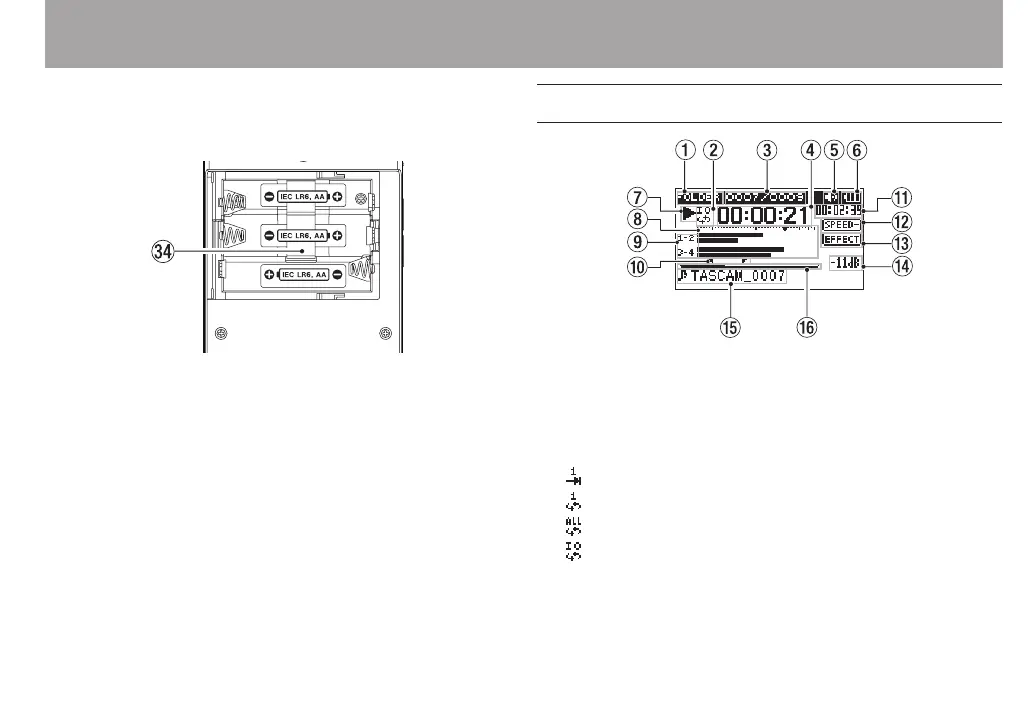
v Battery compartment
Install batteries (3 AA) in this compartment to power the
unit. (See “Using AA batteries” on page 34.)
Home Screen
1 Playback area
ALL
All les in the
MUSIC
folder
FOLDER
All les in the selected folder
PLAYLIST
All les added to the playlist
2 Loop/repeat playback status
: Single playback
: Single le repeat playback
: All le repeat playback
: Loop playback
3 Current playback file number/total number of files
This shows the current le number and total number of
les in the current playback area.
2 – Names and Functions of Parts



 To Next Page