MONO mode
This is a mode for mono recording.
STEREO mode (default)
This is a mode for stereo recording of two independent left
and right channels.
DUAL mode
This mode uses one input source (mono or stereo pair) to
create two les with dierent input level settings (
LEVEL
CTRL
setting screen). Either two mono or two stereo recording
les are created.
4CH mode
This mode uses both the built-in mics and the external inputs
to record two pairs of inputs as two les.
Two stereo recording les are created.
OVERDUB mode
This recording mode add new sounds to the playback le.
There are two types of OVERDUB mode: MIX and SEPARATE.
The MIX OVERDUB mode mixes the playback sound and input
sound to create a new le. The SEPARATE OVERDUB mode
creates a new recording le with only the input sound.
This mode can be selected from the parameters.
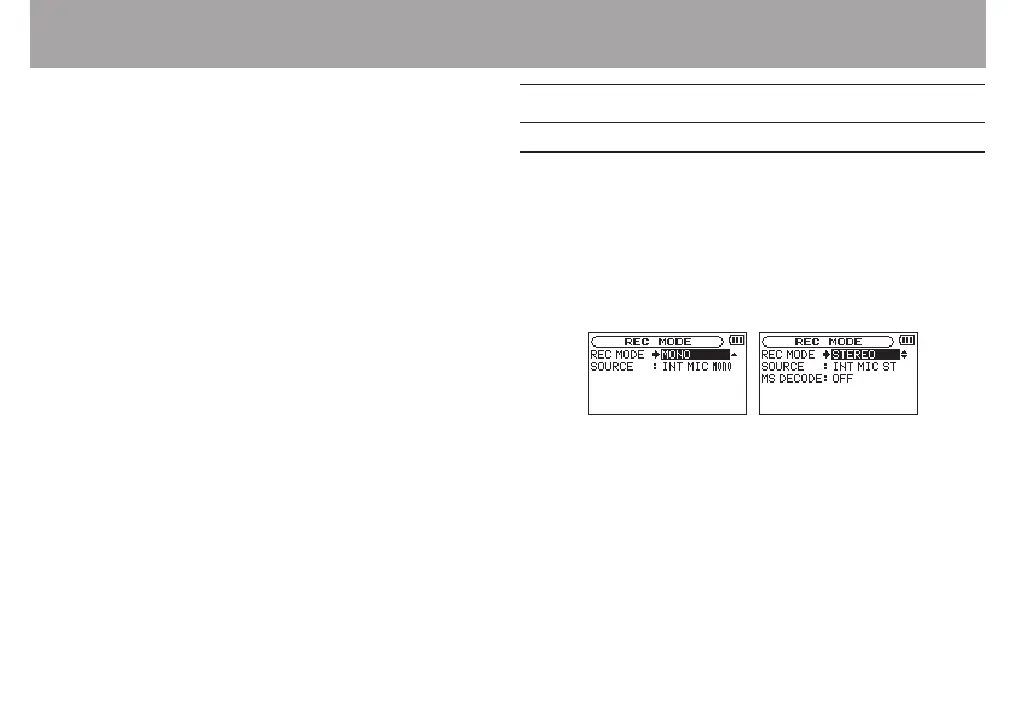
Recording (MONO/STEREO recording)
Make recording settings
1 Press the REC MODE button to open the
REC MODE
screen.
2 Use the + or − button to select
REC MODE
, and press the
ENTER/MARK or / button.
3 Use the + or − button to select
MONO
or
STEREO
. (Default:
STEREO
)
Mono recording Stereo recording
4 Press the . button to select the other item.
5 Use the + or − button to select
SOURCE
, and press the
ENTER/MARK or / button.
4 – Recording



 To Next Page