Preparing an SD card for use
In order to use an SD card in this unit, you must format it rst.
CAUTION
When formatting a card, the unit should be operating on
•
AC power supplied through the PS-P515U adaptor (sold
separately), USB bus power supplied from a computer, or
batteries with sucient remaining power.
Formatting a card erases all the data on it.
•
1 Confirm that an SD card is installed and turn the power
ON.
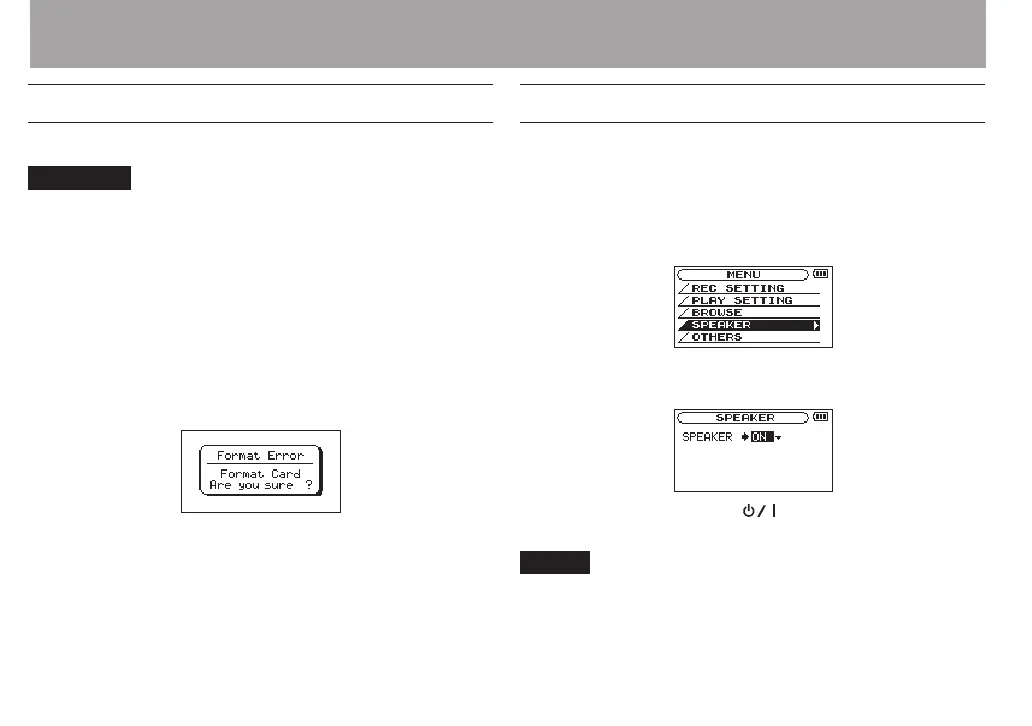
2 The following message appears when a new card or a
card formatted for use with another device is installed
in the unit.
3 Press the ENTER/MARK button to start formatting.
4 When formatting ends, the Home Screen opens.
You can also reformat the card in this unit at any time. (See
“System Settings and Formatting” on page 101.)
Using the built-in speaker
Enable
SPEAKER
on the
MENU
screen to allow the unit to play
over the built-in speaker.
1 Press the MENU button to open the
MENU
screen.
2 Use the + or – button to select the
SPEAKER
and press
the ENTER/MARK or / button.
The
SPEAKER
screen is displayed.
3 Use the + or – button to select
ON
.
4 When finished, press the (HOME) [8] button to
return to the Home Screen.
NOTE
Even if
SPEAKER
is enabled, the unit will not play through
the speaker when the unit is recording sound, in recording
standby, or muted with headphones or external speaker
system connected.
3 – Preparation



 To Next Page