If an SD card is not properly inserted before making the USB
connection,
Can't Save Data
appears on the screen.
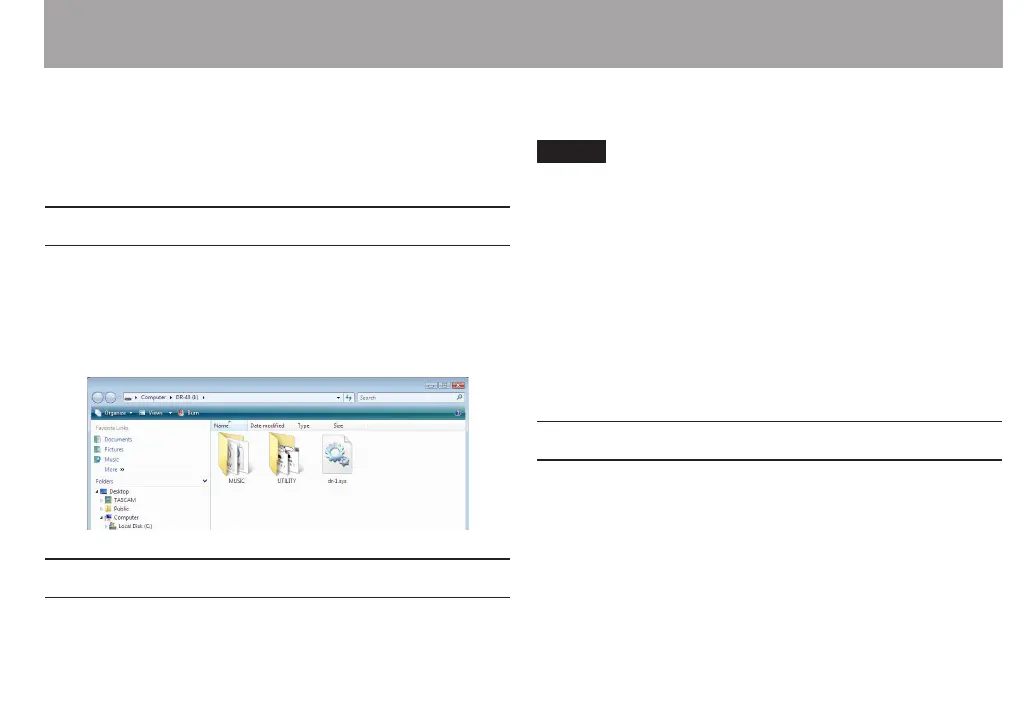
This unit appears on the computer screen as external volume
named DR-40.
Transferring files to a computer
1 Click the DR-40 drive on the computer screen to show
the MUSIC and UTILITY folders.
2 Open the MUSIC folder and drag and drop the files that
you want to transfer to the computer to destinations of
your choice.
Transferring files from a computer
1 Click the DR-40 drive on the computer screen to show
the MUSIC and UTILITY folders.
2 Drag and drop files on the computer that you want to
transfer to the unit to the MUSIC folder.
TIP
You can manage the
•
MUSIC folder from the computer.
You can create subfolders in the
•
MUSIC folder up to the
second level for use with this unit. The DR-40 cannot
recognize subfolders and audio les on the third level or
below.
Since you can set the DR-40 to only play the contents of a
•
specic folder, you can organize les into genres, artists or
other categories as you like.
If you name the subfolders and music les, these names will
•
appear on the screen of this unit.
Disconnecting from a computer
Before disconnecting the USB cable, use the proper
procedures for your computer to unmount the DR-40 (as an
external drive). The power turns o after disconnecting the
USB cable.
See the computer’s operation manual for instructions about
how to unmount an external drive.
11 – Connecting with a computer



 To Next Page