Setting the low cut filter
The low cut lter can reduce noise such as oensive wind
noise from air-conditioners and projectors.
1 Press the MENU button to open the
MENU
Screen.
2 Use the + or − button to select
REC SETTING
, and press
the ENTER/MARK or / button.
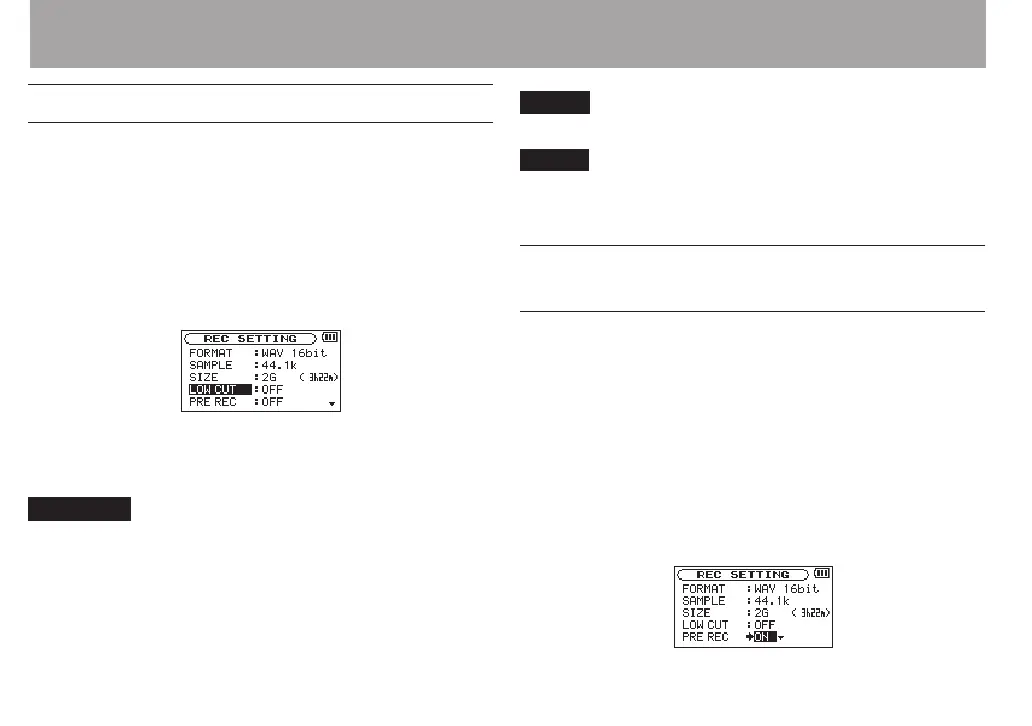
REC SETTING
screen appears.
3
Use the + or − button to select
LOW CUT
, and press the
ENTER/MARK or / button.
4
Use the + or − button to select the cut off frequency of the
low cut filter for mic input.
Options:
OFF
(default),
40Hz
,
80Hz
,
120Hz
CAUTION
When an external input is selected, the low-cut lter cannot
•
be used.
Use headphones to monitor when you are recording with
•
a microphone. If you use speakers to monitor, the sound
output from the speakers may also be recorded, causing a
poor recording and even feedback.
NOTE
LOW
CUT
can be set when recording/in recording standby.
TIP
Use the built-in eects of this unit as necessary on the input
source. (See “Using the Eects” on page 92.)
Recording the moment before pushing
RECORD (PRE REC)
By using prerecording, when the unit is in recording standby
you can record up to two seconds of the signal input before
the RECORD [0] button is pushed to start recording.
1 Press the MENU button to open the
MENU
screen.
2 Use the + or − button to select
REC SETTING
, and press
the ENTER/MARK or / button.
3 Use the + or − button to select
PRE REC
, and press the
ENTER/MARK or / button.
4 Use the + or − button to select
ON
.
(Default:
OFF
)
4 – Recording



 To Next Page