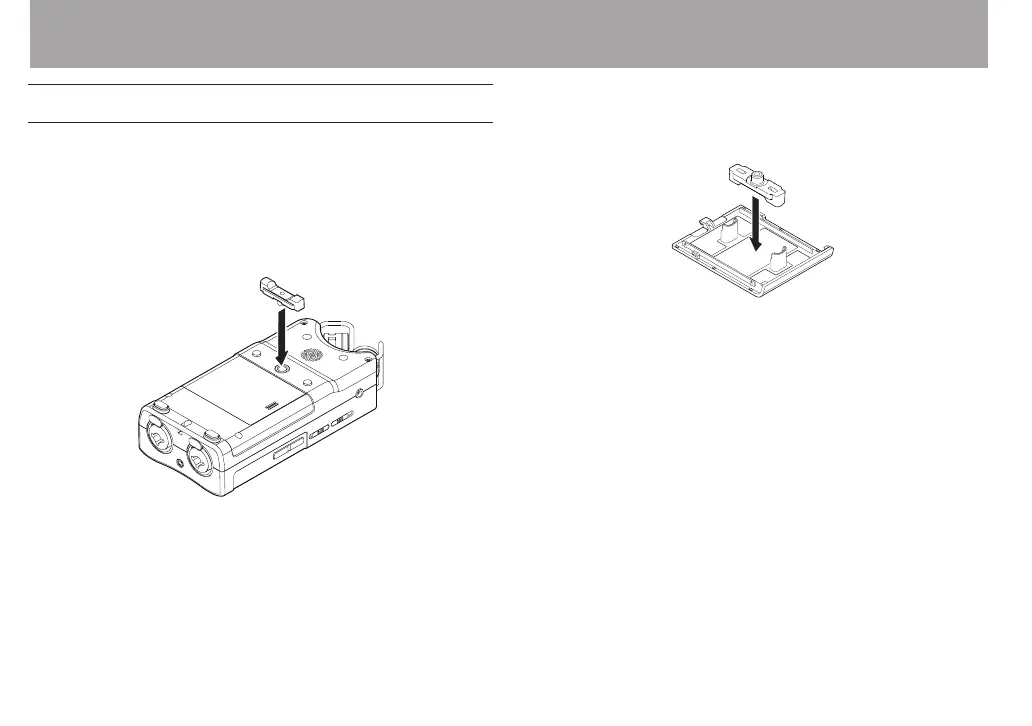
Attaching the tilt foot
When recording with the built-in mics, placing the recorder
with the battery compartment cover side down will cause
the built-in mic orientation to be low. You can attach the
included tilt foot to the tripod threads in order to keep the mic
orientation from being too low.
Attach it as shown below.
When not using the tilt foot, it can be stored by inserting it
between the two protrusions on the inside of the battery
compartment cover.
3 – Preparation



 To Next Page