Manual track increment during recording
You can manually split a recording by creating a new le.
Press the / button while recording.
NOTE
When new les are created, incremental numbers are added
•
to the end of each project name.
A new le cannot be created if the total number of les and
•
folders would exceed 5000.
Files shorter than two seconds cannot be created. If the
•
sampling frequency is 96 kHz, les shorter than four
seconds cannot be created.
If the name of a newly created le would be the same as
•
that of an existing le, the number will be incremented until
the new le has a unique name.
Track increment is not possible in OVERDUB mode.
•
Automatic track increment by file size
Without pausing recording, a new le can be created
automatically during recording when a le size set in advance
is exceeded.
1 Press the MENU button to open the
MENU
Screen.
2 Use the + or − button to select
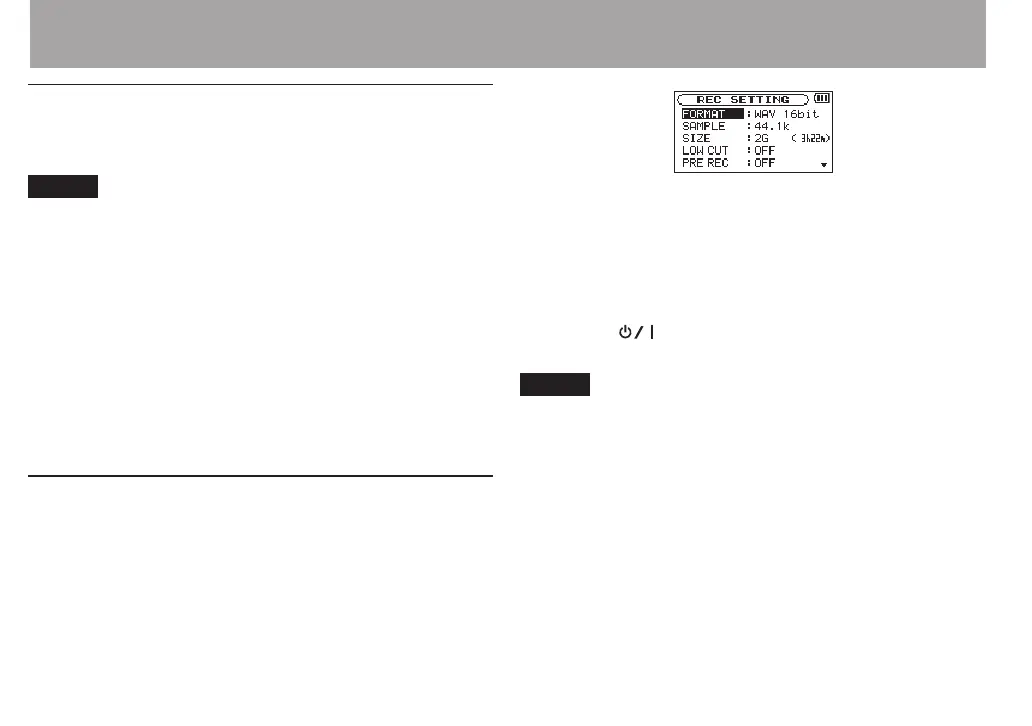
REC SETTING
, and press
the ENTER/MARK or / button.
REC SETTING
screen appears.
3 Use the + or − button to select
SIZE
, and press the
ENTER/MARK or / button.
Use the + or − button to set the maximum file size
at which track increment takes place, by selecting
(highlighting) from the following:
64M
/
128M
/
256M
/
512
M
/
1G
/
2G
(default)
4 Press the (HOME) [8] button to return to the
Home Screen.
NOTE
A new le cannot be created if the total number of les and
•
folders would exceed 5000.
For the same le size, the possible recording time diers
•
depending on the le type selected. Furthermore, if the
recording time is 24 hours or more, this will be displayed as
23:59:59.
4 – Recording



 To Next Page