Automatic level control is available to increase or decrease
•
the recording volume when the input sound is too low or
too high, respectively.
Limiter function automatically reduces the level suitably in
•
particular portions where the input level is too high
Low cut lter conveniently reduces low-frequency noise
•
VSA function can change the playback speed in the range
•
from 0.5 to 1.5 times (in 0.1 increments) the normal speed
without changing pitch
Repeat playback and IN-OUT loop playback functions
•
PB CONTROL button is available to show settings screens
•
for playback speed control and IN-OUT loop
Tuner function to tune musical instruments
•
Self-timer function to start recording after a set period of
•
time.
Jump back and play function allows the last several seconds
•
of the currently played le to be replayed again by simply
pressing a button
Delay compensation function that eliminates time lags
•
caused by dierences in the distances of two sets of inputs
from the sound source
Playlist function
•
DIVIDE function allows les to be split where desired (only
•
for WAV les)
MARK function convenient for moving to specic locations
•
Equalizers function for playback, and level alignment
•
function to enhance the perceived overall sound pressure
File name format can be set to use a user-dened word or
•
the date
Resume function to memorize the playback position before
•
the unit is turned o.
3.5 mm (1/8”) line/headphones output jack
•
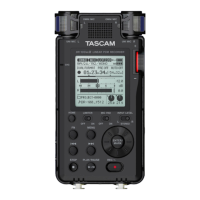
128 x 64 pixel LCD with backlight
•
Mini-B type USB 2.0 port
•
Operates on 3 AA batteries, an AC adaptor (sold separately:
•
TASCAM PS- P515U), or USB bus power
Tripod attachment screw-hole built into unit
•
USB cable included
•
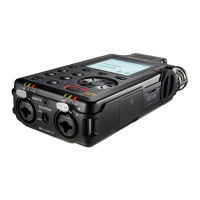
Mic inputs can provide +24V/+48V phantom power
•
Two balanced mic/line inputs (XLR/TRS combo jacks)
•
1 – Introduction


 To Next Page