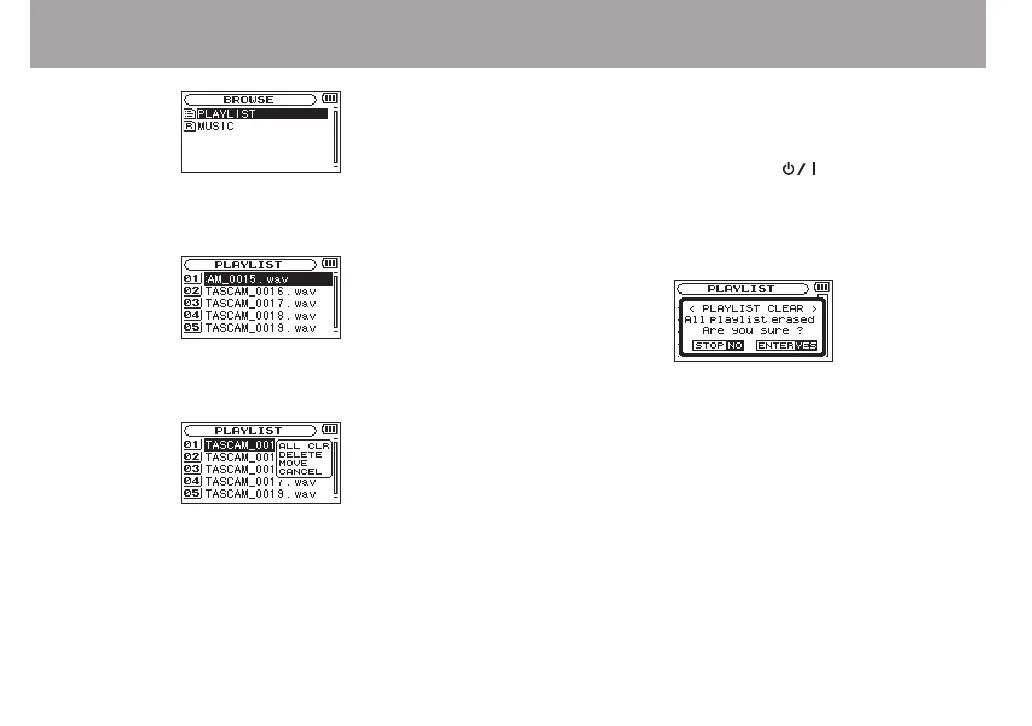
4 Use the + or − button to select
PLAYLIST
, and press the
/ button.
PLAYLIST
screen appears.
5 Use the + or − button to select the file you want to edit,
and press the QUICK button.
A pop-up window appears.
6 Use the + or − button to select an item, and press
the ENTER/MARK button to cause the unit to work as
follows.
ALL CLR
A conrmation message appears to conrm that you want to
remove all the les from the playlist. Press the
ENTER/MARK
button to remove all the les or the
(HOME) [8] button
to cancel this operation.
For this operation, it does not matter which le you select in
step 5. All the les are removed from the playlist, but they are
not erased from the SD card.
DELETE
Remove the selected le from the playlist.
The le is removed from the playlist, but it is not erased from
the SD card.
MOVE
Select this to change the order of les in the playlist.
In addition to the le name, the le number also appears
highlighted in inverse.
Use the
•
+ or − button to move the selected le to a dierent
position in the playlist.
6 – Playback



 To Next Page