RiverPro and RioPro ADCP Guide October 2017
EAR-Controlled Technology Subject to Restrictions Contained on the Cover Page.
Page 13
RioPro Banner
RioPro
Teledyne RD Instruments (c) 2015
All rights reserved.
Firmware Version: 56.03
>
RiverPro Banner
RiverPro
Teledyne RD Instruments (c) 2015
All rights reserved.
Firmware Version: 56.03
>
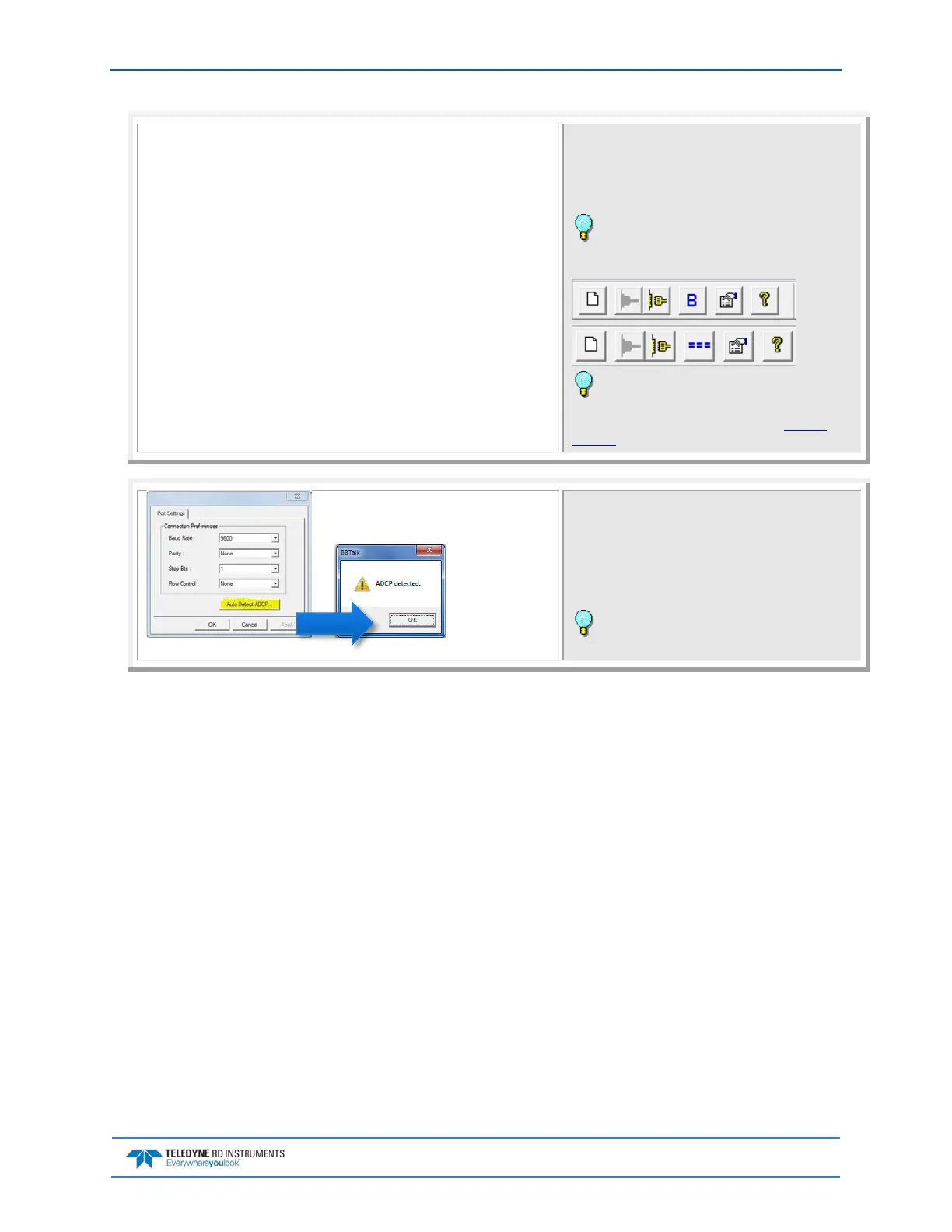
On the File menu, click Send A Break. Pressing the End
key will also send a break or press the === button or B
on the Toolbar.
The banner message should appear on the log file win-
dow.
The BBTalk toolbar will display === if it is config-
ured for using Software Breaks or B if it is configured
to send a Hard Break.
If the RiverPro/RioPro ADCP does not respond,
check the serial port, cables, DC power supply or bat-
tery connection. If necessary, refer to the Trouble-
shooting section.
If the banner is not readable or visible:
On the File menu, click Properties.
Click the Auto Detect ADCP button.
Click OK when the RiverPro/RioPro is detected. Try to
wake up the RiverPro/RioPro again.
Both BBTalk and the RiverPro/RioPro must use
the same Baud rate.



 To Next Page