Operating Instructions
114
Time Display
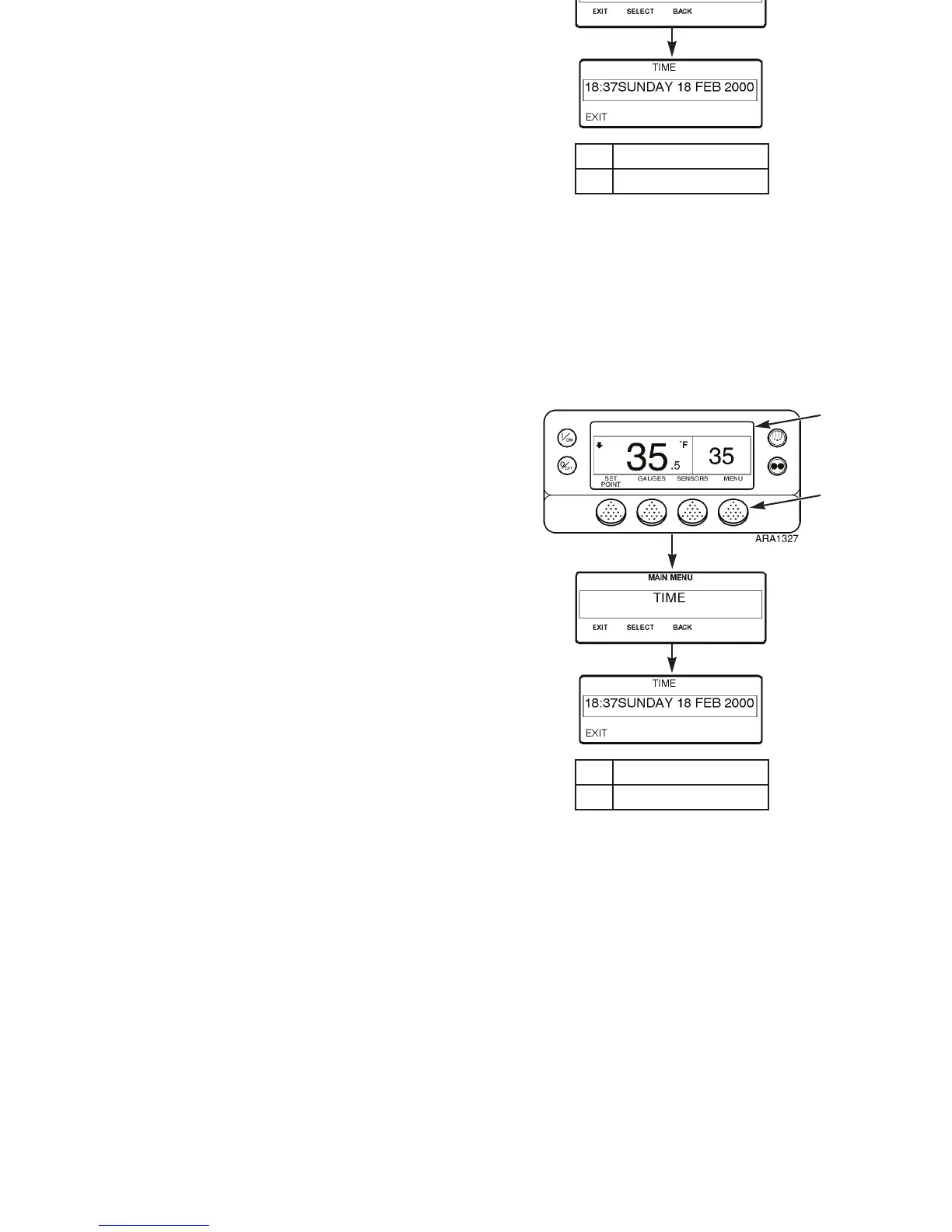
The time and date held by the HMI Control Panel real time
clock can be checked. Time and Date cannot be changed from
the Main Menu. The time and date are changed by
programming the HMI. Contact your Thermo King dealer for
information about programming the HMI.
View the time and date as follows:
1. Begin at the Standard Display.
If the Temperature Watch Display is showing, press the
M
ENU soft key once to return to the Standard Display.
2. Press the M
ENU soft key on the Standard Display.
3. Press the N
EXT soft key until the Time Display appears.
4. Press the S
ELECT soft key to view the time and date.
1. Standard Display
2. Menu Soft Key
Figure 83: Time and Date Screens
2
1
M
ENU
Key
then N
EXT
Key
S
ELECT
Key
Operating Instructions
114
Time Display
The time and date held by the HMI Control Panel real time
clock can be checked. Time and Date cannot be changed from
the Main Menu. The time and date are changed by
programming the HMI. Contact your Thermo King dealer for
information about programming the HMI.
View the time and date as follows:
1. Begin at the Standard Display.
If the Temperature Watch Display is showing, press the
M
ENU soft key once to return to the Standard Display.
2. Press the M
ENU soft key on the Standard Display.
3. Press the N
EXT soft key until the Time Display appears.
4. Press the S
ELECT soft key to view the time and date.
1. Standard Display
2. Menu Soft Key
Figure 83: Time and Date Screens
2
1
M
ENU
Key
then N
EXT
Key
S
ELECT
Key



 To Next Page