Optional Rear Remote Control Panel
143
Running a Pretrip Test
A Pretrip Test can be started using the Pretrip Key. If the unit is
not running when the Pretrip Test is started a Full Pretrip Test
will be performed. If the unit is running when the Pretrip Test
is started a Running Pretrip Test will be performed.
1. Clear any alarm codes as shown previously.
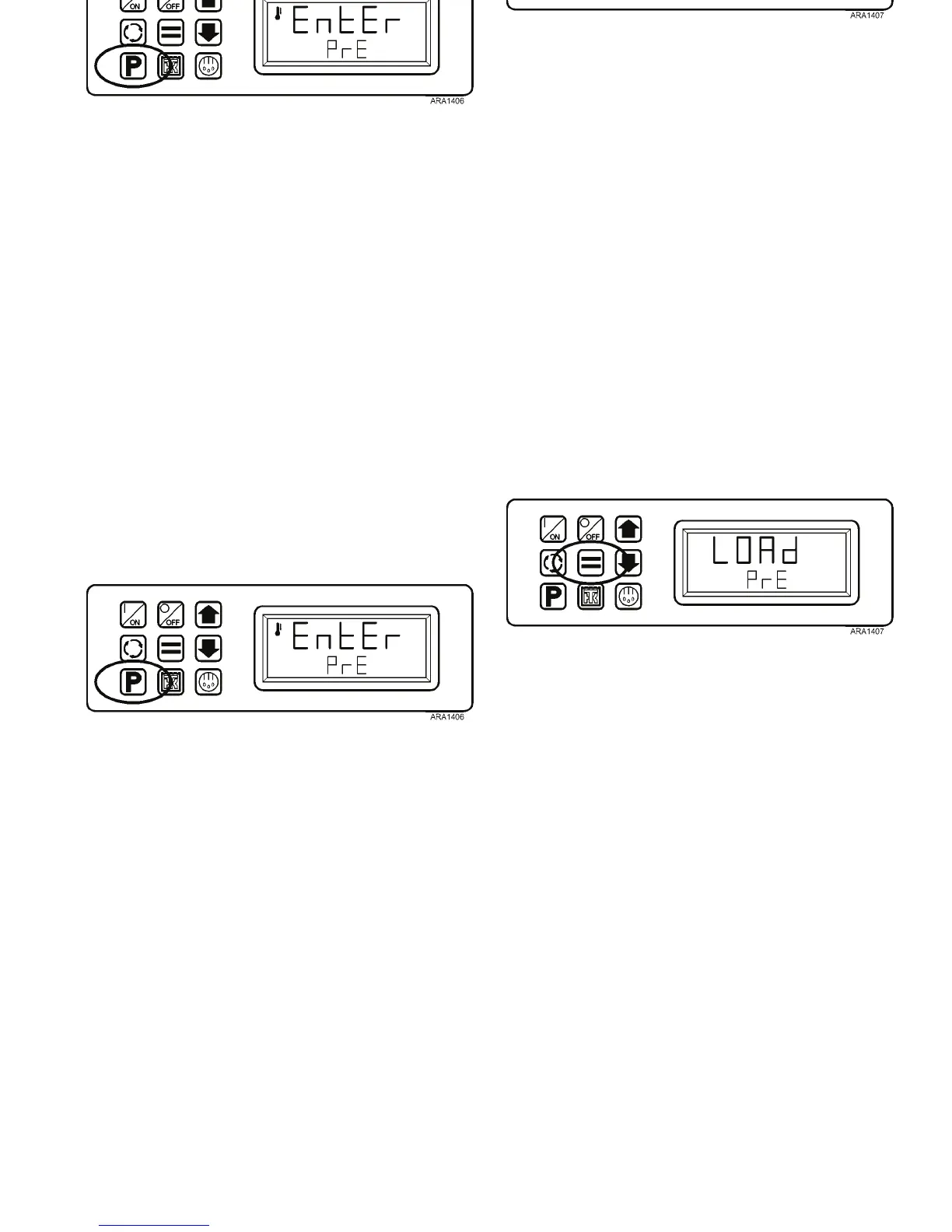
2. Press the Pretrip Key. The Pretrip [EntEr PrE] prompt will
appear in the display.
Figure 117: Press Pretrip Key
3. When the Pretrip prompt is shown, press the Enter Key to
start a Pretrip Test. The display will briefly show LOAd
PrE. If the unit is not running a Full Pretrip Test will be
performed. If the unit is running a Running Pretrip Test
will be performed.
Figure 118: Press Enter Key
Optional Rear Remote Control Panel
143
Running a Pretrip Test
A Pretrip Test can be started using the Pretrip Key. If the unit is
not running when the Pretrip Test is started a Full Pretrip Test
will be performed. If the unit is running when the Pretrip Test
is started a Running Pretrip Test will be performed.
1. Clear any alarm codes as shown previously.
2. Press the Pretrip Key. The Pretrip [EntEr PrE] prompt will
appear in the display.
Figure 117: Press Pretrip Key
3. When the Pretrip prompt is shown, press the Enter Key to
start a Pretrip Test. The display will briefly show LOAd
PrE. If the unit is not running a Full Pretrip Test will be
performed. If the unit is running a Running Pretrip Test
will be performed.
Figure 118: Press Enter Key



 To Next Page