Operating Instructions
93
Hourmeters Menu
The Hourmeters are programmable to be visible or hidden in
the controller. Hourmeters that are visible are displayed.
Hourmeters that are hidden are not displayed, but they do
count hours. The default setting for Model 30 units is to
display only the Engine Hours. The default setting for Model
50 units is to display Total Run Time Hours, Engine Hours, and
Electric Run Hours. The Hourmeters Menu will not appear if
all hourmeters are hidden. Contact your Thermo King dealer
for information about programming the controller.
Hourmeters can be viewed in the Hourmeters Menu as follows:
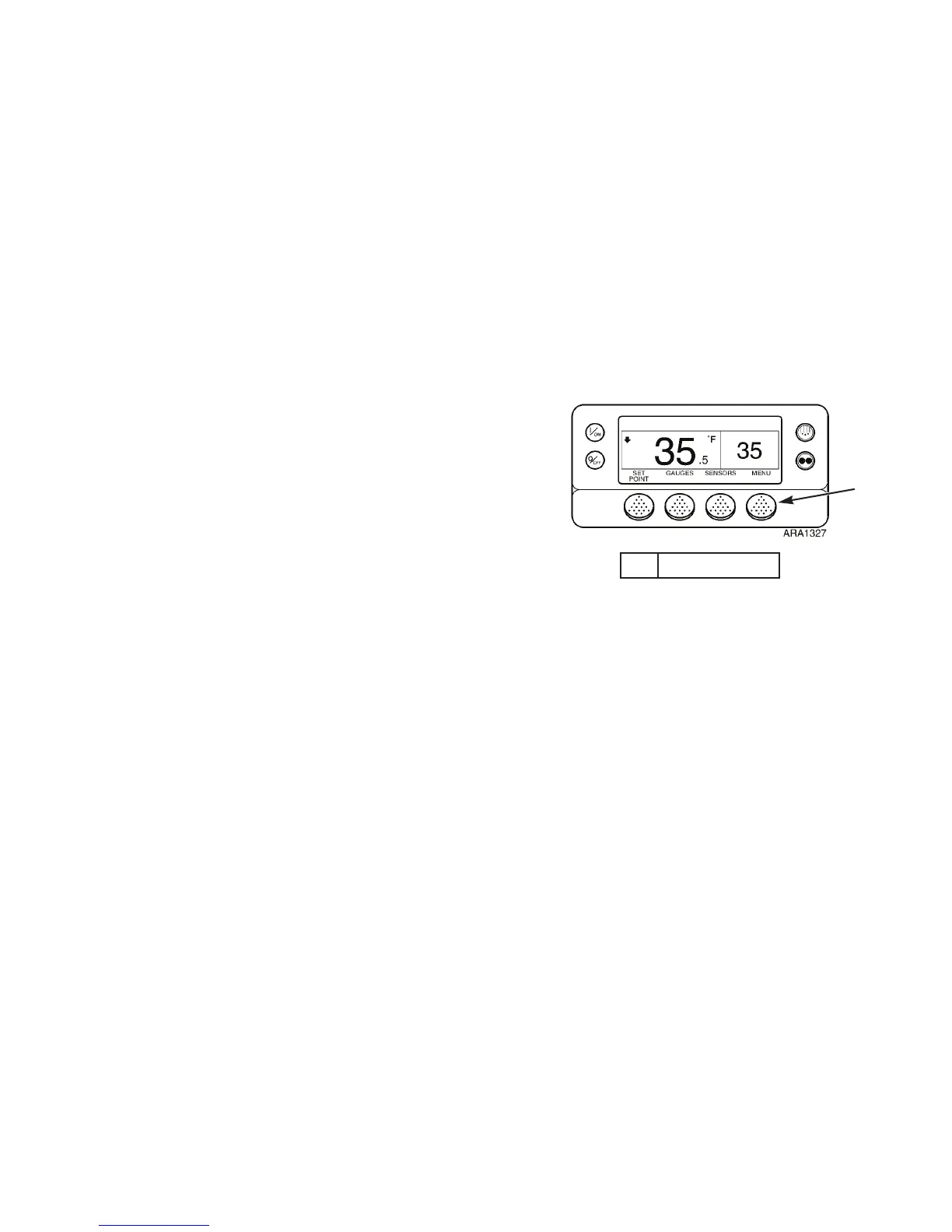
1. Begin at the Standard Display.
If the Temperature Watch Display is showing, press the
M
ENU soft key once to return to the Standard Display.
2. Press the M
ENU soft key on the Standard Display.
3. Press the N
EXT soft key until the Hourmeters Menu
appears. See Figure 66.
4. Press the S
ELECT soft key to enter the Hourmeters Menu.
5. Press the N
EXT and BACK soft keys to view the hourmeter
displays.
1. Menu Soft Key
Figure 65: Standard Display
1
Operating Instructions
93
Hourmeters Menu
The Hourmeters are programmable to be visible or hidden in
the controller. Hourmeters that are visible are displayed.
Hourmeters that are hidden are not displayed, but they do
count hours. The default setting for Model 30 units is to
display only the Engine Hours. The default setting for Model
50 units is to display Total Run Time Hours, Engine Hours, and
Electric Run Hours. The Hourmeters Menu will not appear if
all hourmeters are hidden. Contact your Thermo King dealer
for information about programming the controller.
Hourmeters can be viewed in the Hourmeters Menu as follows:
1. Begin at the Standard Display.
If the Temperature Watch Display is showing, press the
M
ENU soft key once to return to the Standard Display.
2. Press the M
ENU soft key on the Standard Display.
3. Press the N
EXT soft key until the Hourmeters Menu
appears. See Figure 66.
4. Press the S
ELECT soft key to enter the Hourmeters Menu.
5. Press the N
EXT and BACK soft keys to view the hourmeter
displays.
1. Menu Soft Key
Figure 65: Standard Display
1



 To Next Page