Operating Instructions
91
4. Press the NEXT soft key until the Datalogger Menu
appears. See Figure 64.
5. Press the S
ELECT soft key on the Datalogger Menu. The
“Start Trip” Screen will appear.
6. Press the N
EXT soft key. The “Print/View” Screen will
appear.
7. Press the S
ELECT soft key. The “Delivery Ticket” Screen
will appear. Press the S
ELECT soft key to print a delivery
report.
8. Press the N
EXT soft key to go to the “Trip Ticket” Screen.
Press the S
ELECT soft key to print a trip report.
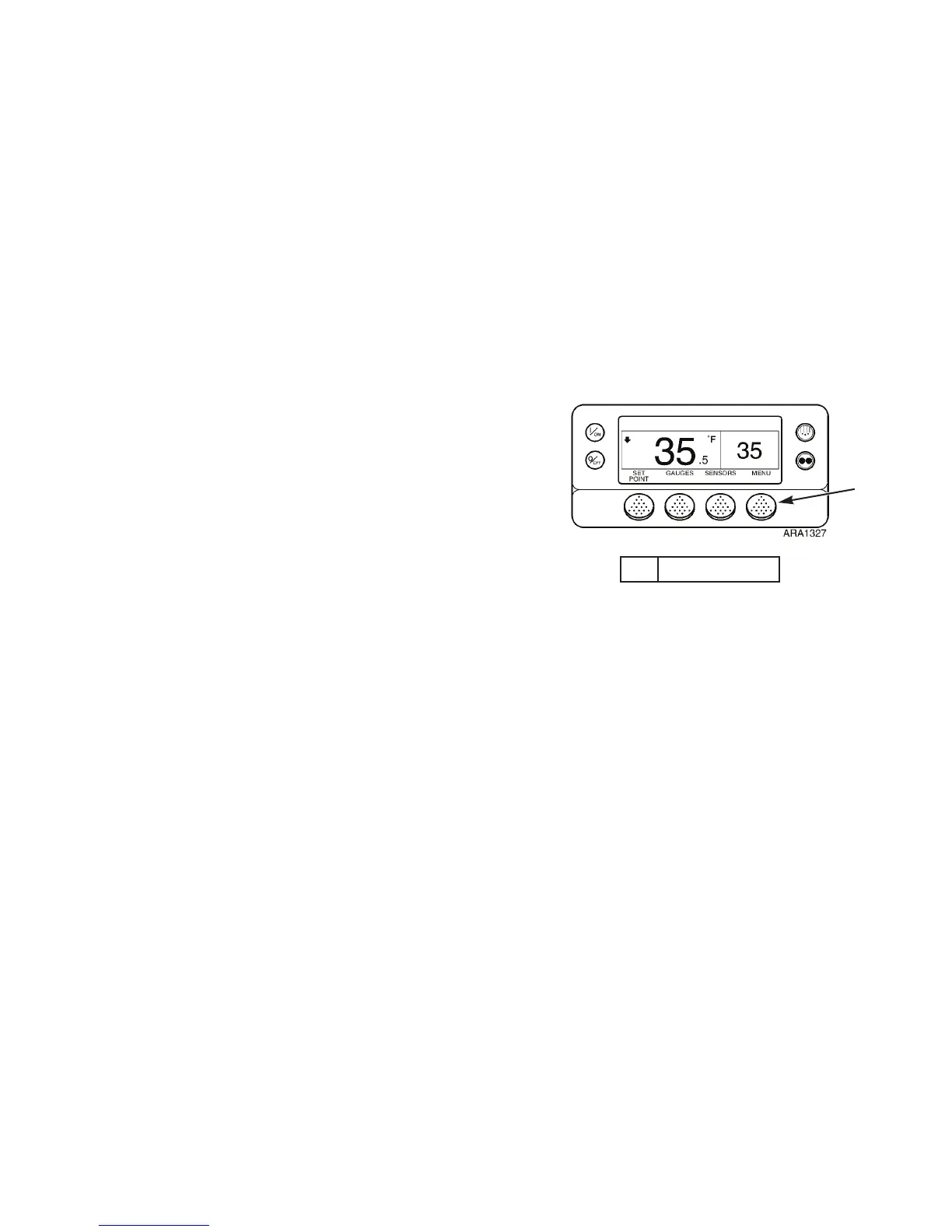
1. Menu Soft Key
Figure 63: Standard Display
1
Operating Instructions
91
4. Press the NEXT soft key until the Datalogger Menu
appears. See Figure 64.
5. Press the S
ELECT soft key on the Datalogger Menu. The
“Start Trip” Screen will appear.
6. Press the N
EXT soft key. The “Print/View” Screen will
appear.
7. Press the S
ELECT soft key. The “Delivery Ticket” Screen
will appear. Press the S
ELECT soft key to print a delivery
report.
8. Press the N
EXT soft key to go to the “Trip Ticket” Screen.
Press the S
ELECT soft key to print a trip report.
1. Menu Soft Key
Figure 63: Standard Display
1



 To Next Page