Operating Instructions
69
Selecting CYCLE-SENTRY or
Continuous Mode
When CYCLE-SENTRY mode is selected the unit will start
and stop automatically to maintain the setpoint, keep the
engine warm, and the battery charged. When Continuous mode
is selected, the unit will start automatically and run
continuously to maintain setpoint and provide constant airflow.
CYCLE-SENTRY or Continuous may not be available if
OptiSet Plus is in use.
If allowed by OptiSet Plus, complete the following steps to
change modes:
NOTE: The mode can also be changed using the Mode Menu
Screen in the Main Menu. See “Turning CYCLE-SENTRY
On or Off” on page 97.
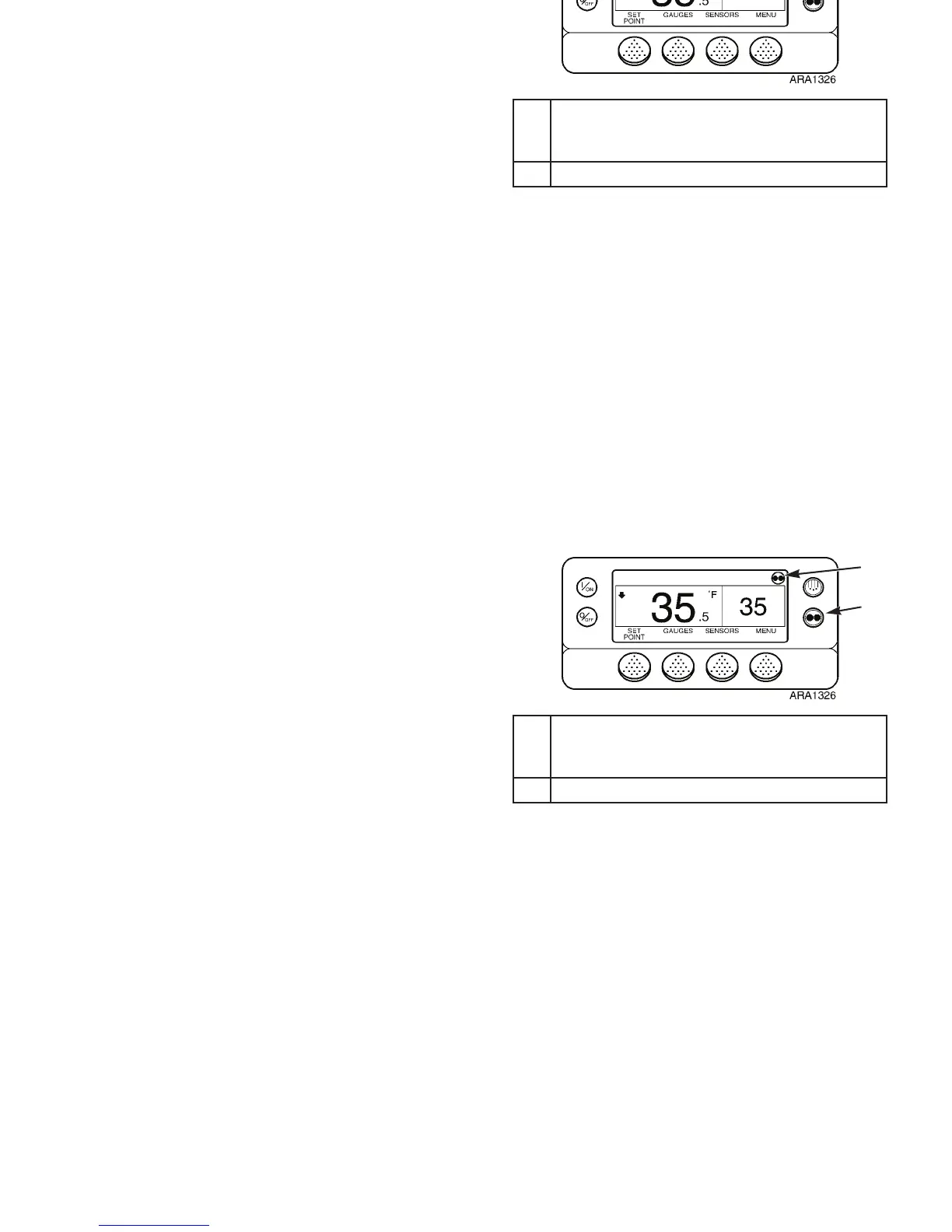
1. Press the M
ODE key. See Figure 43.
2. The “Programming Continuous Mode” or “Programming
CYCLE-SENTRY Mode” Screen briefly appears. See
Figure 44 and Figure 45.
3. The “New System Mode is Continuous” Screen or the
“New System Mode CYCLE-SENTRY” Screen briefly
appears. See Figure 44 and Figure 45.
4. The Standard Display appears showing the new mode. See
Figure 44 and Figure 45.
5. Press the M
ODE key again to change the unit back to the
previous mode.
1. CYCLE-SENTRY Icon Shows Mode Selected
Displayed for CYCLE-SENTRY Mode
Not Displayed for Continuous Mode
2. Mode Key
Figure 43: Changing Mode
1
2
Operating Instructions
69
Selecting CYCLE-SENTRY or
Continuous Mode
When CYCLE-SENTRY mode is selected the unit will start
and stop automatically to maintain the setpoint, keep the
engine warm, and the battery charged. When Continuous mode
is selected, the unit will start automatically and run
continuously to maintain setpoint and provide constant airflow.
CYCLE-SENTRY or Continuous may not be available if
OptiSet Plus is in use.
If allowed by OptiSet Plus, complete the following steps to
change modes:
NOTE: The mode can also be changed using the Mode Menu
Screen in the Main Menu. See “Turning CYCLE-SENTRY
On or Off” on page 97.
1. Press the M
ODE key. See Figure 43.
2. The “Programming Continuous Mode” or “Programming
CYCLE-SENTRY Mode” Screen briefly appears. See
Figure 44 and Figure 45.
3. The “New System Mode is Continuous” Screen or the
“New System Mode CYCLE-SENTRY” Screen briefly
appears. See Figure 44 and Figure 45.
4. The Standard Display appears showing the new mode. See
Figure 44 and Figure 45.
5. Press the M
ODE key again to change the unit back to the
previous mode.
1. CYCLE-SENTRY Icon Shows Mode Selected
Displayed for CYCLE-SENTRY Mode
Not Displayed for Continuous Mode
2. Mode Key
Figure 43: Changing Mode
1
2



 To Next Page