Optional Rear Remote Control Panel
132
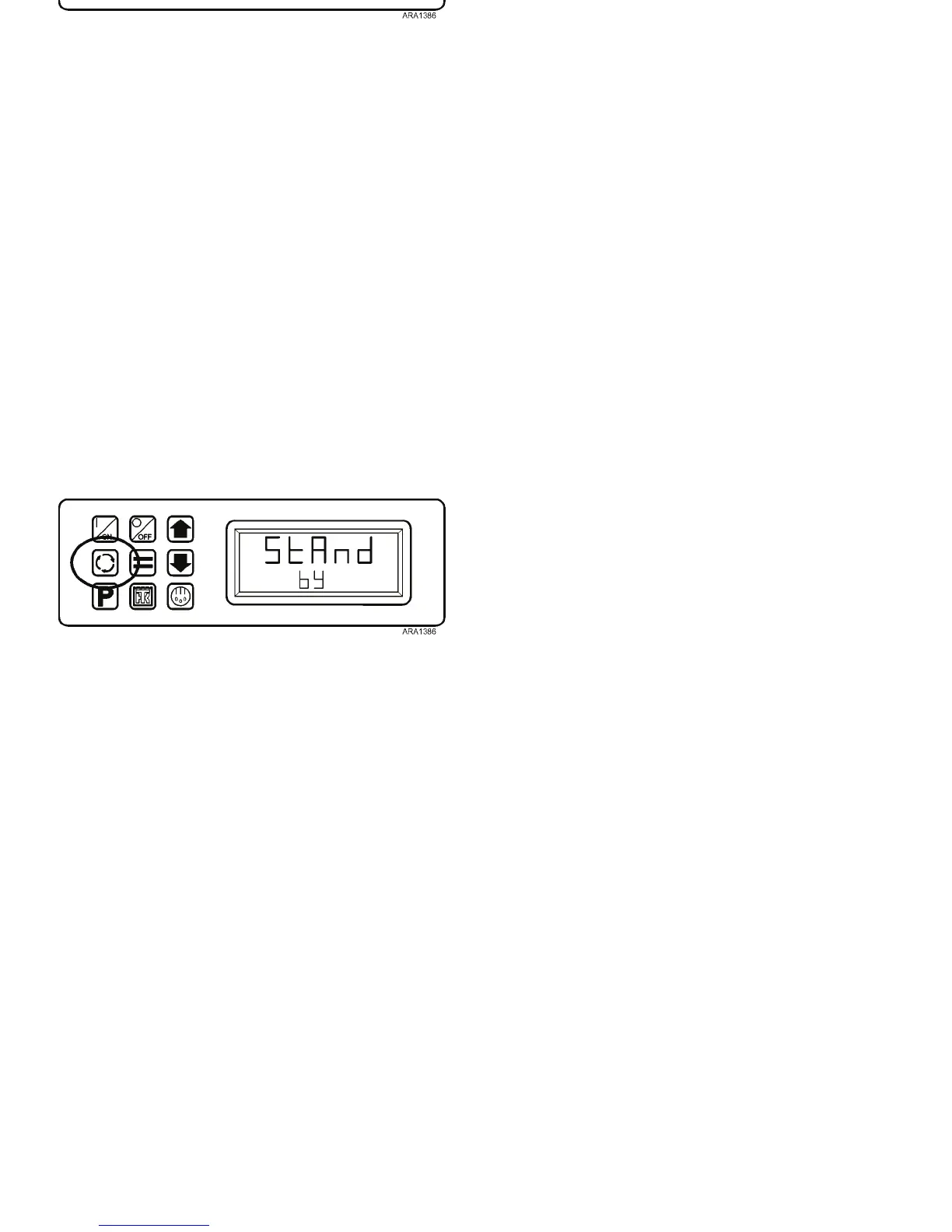
In order to change the setpoint, press the Select Key to show
the Remote Standard Display. The setpoint can now be
changed in the usual manner. After the setpoint is changed, the
display will return to the StAnd bY display shown below in
about 10 seconds.
Figure 96: Press Select Key
Optional Rear Remote Control Panel
132
In order to change the setpoint, press the Select Key to show
the Remote Standard Display. The setpoint can now be
changed in the usual manner. After the setpoint is changed, the
display will return to the StAnd bY display shown below in
about 10 seconds.
Figure 96: Press Select Key



 To Next Page