Operating Instructions
57
Alarm Display
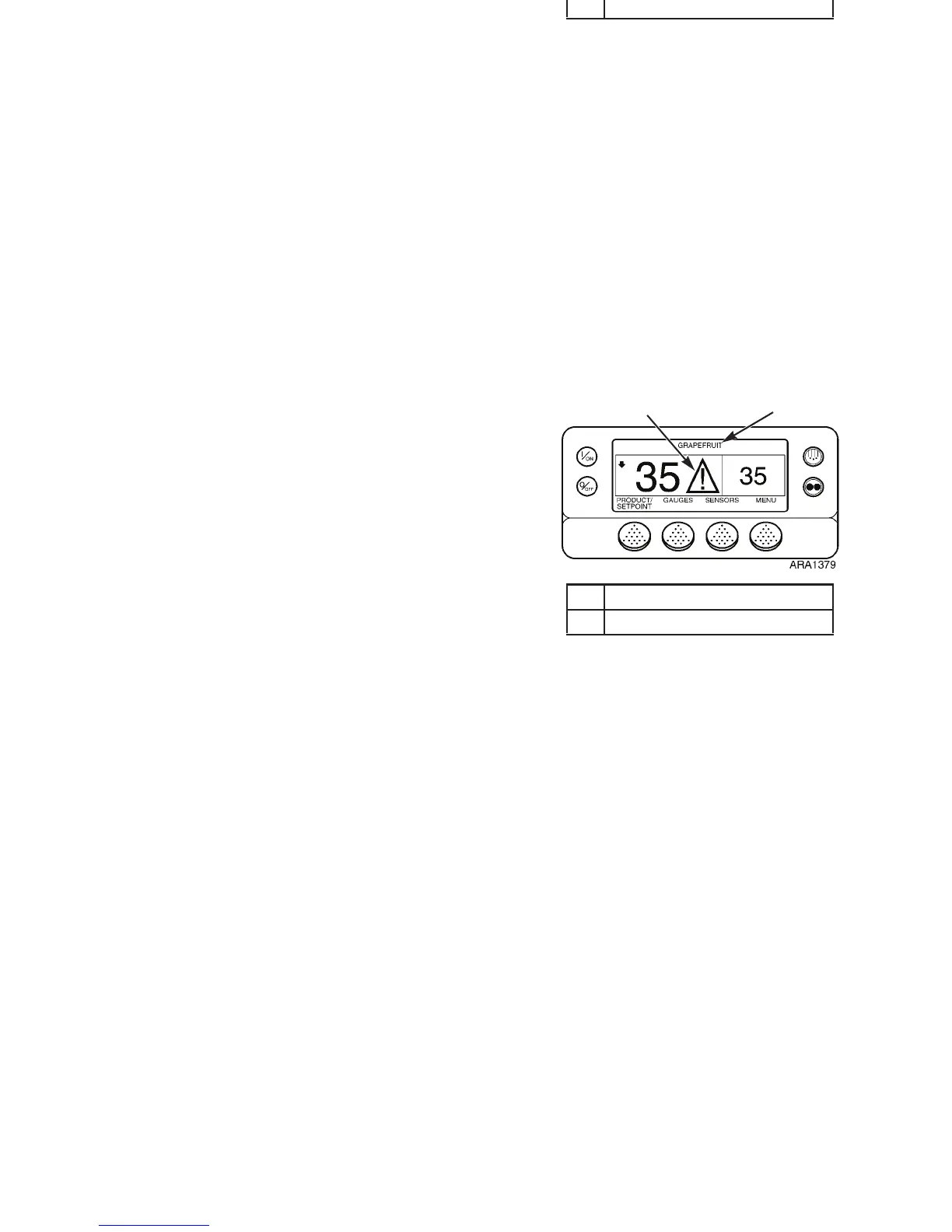
If a unit alarm condition occurs the large Alarm Icon will
appear on the Standard Display as shown below in Figure 33.
NOTE: A shutdown alarm will also cause the display and
backlight to flash on and off, and the display will switch from
normal video to reverse video and back to normal video (light
areas become dark and dark areas become light).
See “Alarms Menu” on page 85 for information about
displaying and clearing alarms.
1. Alarm Icon
2. Named Product (If Selected)
Figure 33: Alarm Display
1
2
Operating Instructions
57
Alarm Display
If a unit alarm condition occurs the large Alarm Icon will
appear on the Standard Display as shown below in Figure 33.
NOTE: A shutdown alarm will also cause the display and
backlight to flash on and off, and the display will switch from
normal video to reverse video and back to normal video (light
areas become dark and dark areas become light).
See “Alarms Menu” on page 85 for information about
displaying and clearing alarms.
1. Alarm Icon
2. Named Product (If Selected)
Figure 33: Alarm Display
1
2



 To Next Page