Unit Description
31
Data Logging
There are two separate data loggers. The data is downloaded
through the data ports on the front of the control box using an
IBM
®
PC compatible laptop or desktop computer and Thermo
King WinTrac 4.6 (or higher) software.
ServiceWatch™: ServiceWatch™ is standard equipment. It
records operating events, alarm codes and compartment
temperatures as they occur and at preset intervals. This
information is typically used to analyze unit performance. Use
the ServiceWatch Port to downloaded the ServiceWatch data.
CargoWatch™: CargoWatch™ data logging requires the
installation of optional sensors. Up to six temperature
sensor/probes and four door switches can be installed.
CargoWatch also logs the setpoint. Use the CargoWatch Port to
downloaded the CargoWatch data. If optional temperature
sensors are installed, their readings are displayed as Datalogger
Sensor (1-6) Temperature in the sensor readings. See “Viewing
Sensor Readings” on page 75.
A printer can also be used to print a report of the optional
sensor readings. See “Printing a Trip Report” on page 90.
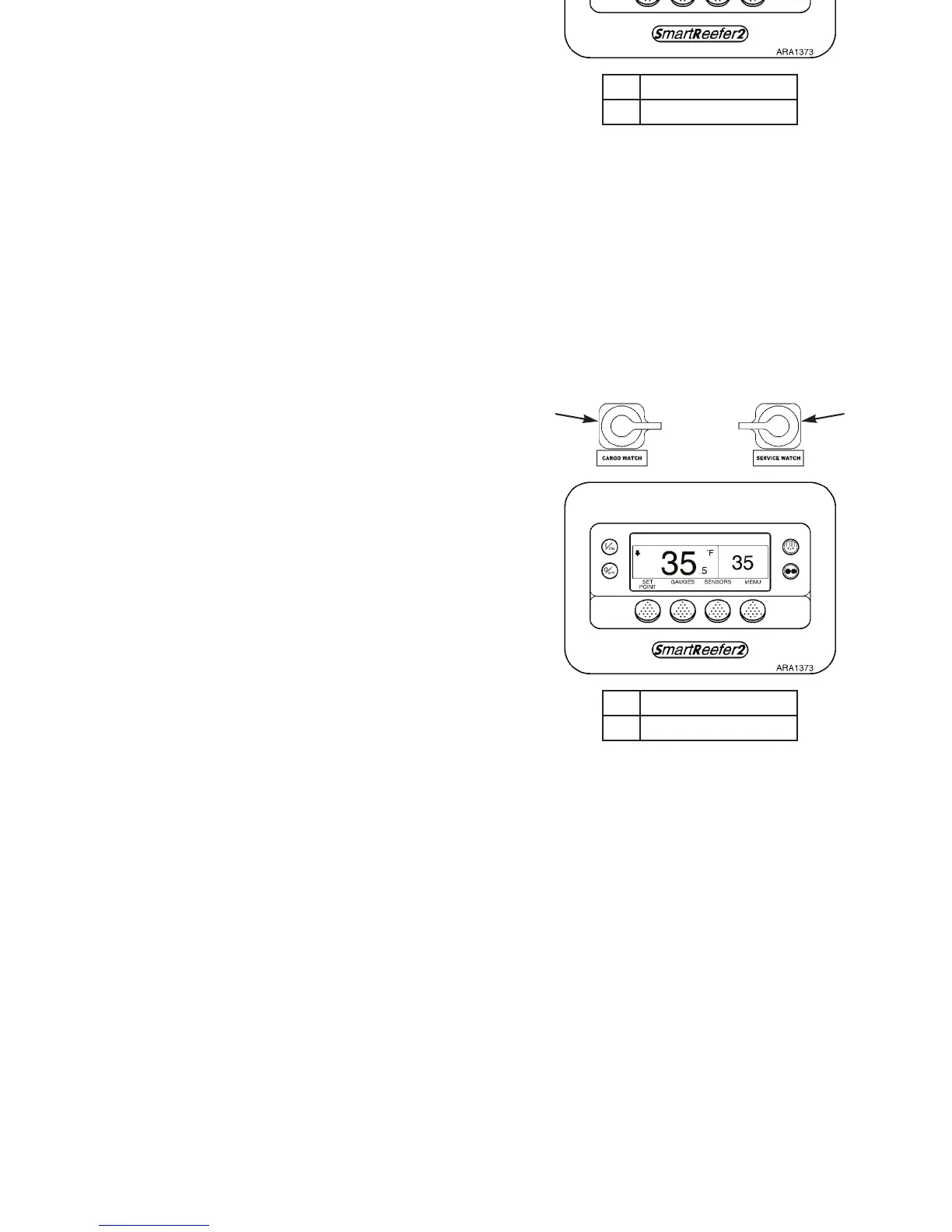
1. CargoWatch Port
2. ServiceWatch Port
Figure 10: HMI Controller and Data Ports
21
Unit Description
31
Data Logging
There are two separate data loggers. The data is downloaded
through the data ports on the front of the control box using an
IBM
®
PC compatible laptop or desktop computer and Thermo
King WinTrac 4.6 (or higher) software.
ServiceWatch™: ServiceWatch™ is standard equipment. It
records operating events, alarm codes and compartment
temperatures as they occur and at preset intervals. This
information is typically used to analyze unit performance. Use
the ServiceWatch Port to downloaded the ServiceWatch data.
CargoWatch™: CargoWatch™ data logging requires the
installation of optional sensors. Up to six temperature
sensor/probes and four door switches can be installed.
CargoWatch also logs the setpoint. Use the CargoWatch Port to
downloaded the CargoWatch data. If optional temperature
sensors are installed, their readings are displayed as Datalogger
Sensor (1-6) Temperature in the sensor readings. See “Viewing
Sensor Readings” on page 75.
A printer can also be used to print a report of the optional
sensor readings. See “Printing a Trip Report” on page 90.
1. CargoWatch Port
2. ServiceWatch Port
Figure 10: HMI Controller and Data Ports
21



 To Next Page