Operating Instructions
48
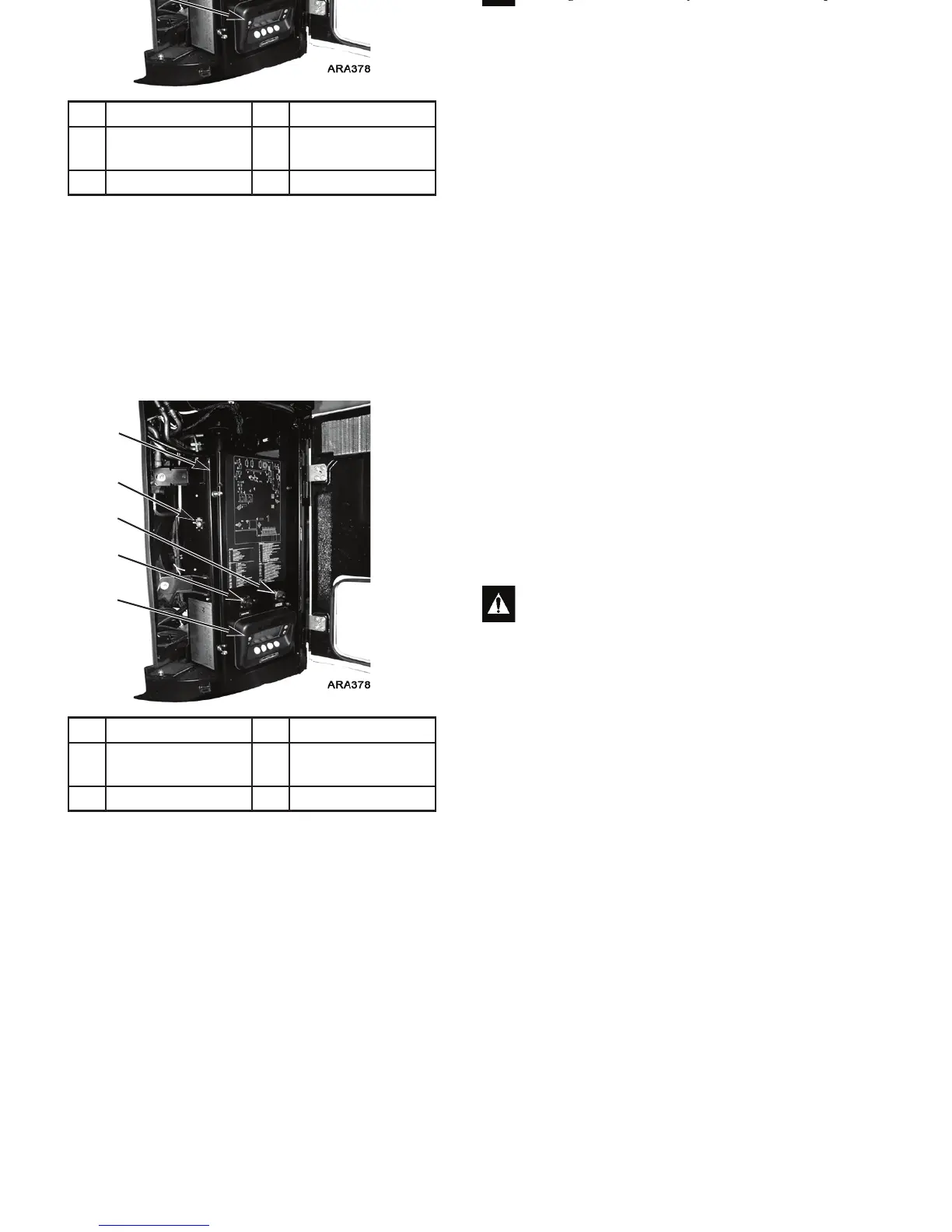
The microprocessor components are located inside the control
box, which is located inside the lower roadside service door.
The microprocessor is connected to an HMI (Human Machine
Interface) Control Panel. It is used to operate the unit. The
CargoWatch and ServiceWatch ports are used to retrieve data
from the data logging system.
Microprocessor On/Off Switch: This switch supplies or
removes electrical power to the microprocessor. It is located on
the left side of the control box. See Figure 24.
1. Control Box 4. CargoWatch Port
2. Microprocessor
On/Off Switch
5. HMI Control Panel
3. ServiceWatch Port
Figure 24: Control Box With Service Door Open
5
2
1
3
4
WARNING: The unit can start at any time without
warning. Press the O
FF key on the HMI control panel
and place the microprocessor On/Off switch in the
Off position before inspecting or servicing any part of
the unit.
Operating Instructions
48
The microprocessor components are located inside the control
box, which is located inside the lower roadside service door.
The microprocessor is connected to an HMI (Human Machine
Interface) Control Panel. It is used to operate the unit. The
CargoWatch and ServiceWatch ports are used to retrieve data
from the data logging system.
Microprocessor On/Off Switch: This switch supplies or
removes electrical power to the microprocessor. It is located on
the left side of the control box. See Figure 24.
1. Control Box 4. CargoWatch Port
2. Microprocessor
On/Off Switch
5. HMI Control Panel
3. ServiceWatch Port
Figure 24: Control Box With Service Door Open
5
2
1
3
4
WARNING: The unit can start at any time without
warning. Press the O
FF key on the HMI control panel
and place the microprocessor On/Off switch in the
Off position before inspecting or servicing any part of
the unit.



 To Next Page