Operating Instructions
83
4. The “NEW LANGUAGE WILL BE” Screen will appear.
See Figure 57.
5. Press the + or - soft keys to select the desired language.
German is shown in Figure 57.
6. When the desired language is shown, press the Y
ES soft
key to confirm the choice.
7. The “PROGRAMMING LANGUAGE PLEASE WAIT”
Screen briefly appears.
8. The “LANGUAGE SELECTED IS XXX” Screen briefly
appears.
9. The display returns to Language Menu Screen, but will
show the new language. German is shown in Figure 57.
NOTE: Exercise care when changing languages, as once
changed all HMI Control panel displays will be in the
new language. If the user is not familiar with the new
language, problems may be experienced returning to the
default language.
10. Repeat the process to select a different language. Press the
N
EXT soft key to select a different Main Menu item. Press
the E
XIT soft key to return to the Standard Display.
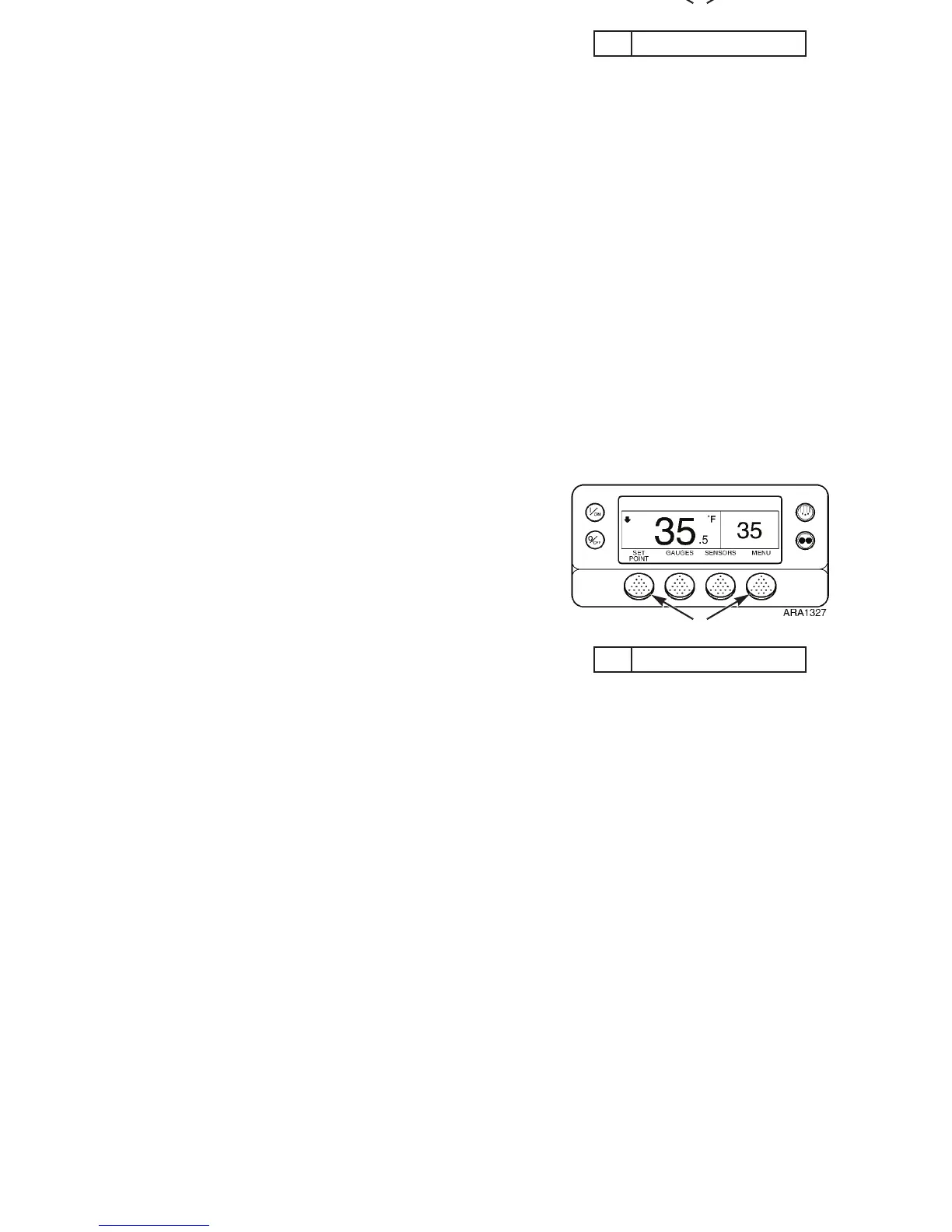
NOTE: English and all other enabled languages may be
accessed from the Standard Display. When the Standard
Display is shown press and hold the first and last soft key for
5 seconds as shown below in Figure 56.
1. Press These Soft Keys
Figure 56: Standard Display
1
Operating Instructions
83
4. The “NEW LANGUAGE WILL BE” Screen will appear.
See Figure 57.
5. Press the + or - soft keys to select the desired language.
German is shown in Figure 57.
6. When the desired language is shown, press the Y
ES soft
key to confirm the choice.
7. The “PROGRAMMING LANGUAGE PLEASE WAIT”
Screen briefly appears.
8. The “LANGUAGE SELECTED IS XXX” Screen briefly
appears.
9. The display returns to Language Menu Screen, but will
show the new language. German is shown in Figure 57.
NOTE: Exercise care when changing languages, as once
changed all HMI Control panel displays will be in the
new language. If the user is not familiar with the new
language, problems may be experienced returning to the
default language.
10. Repeat the process to select a different language. Press the
N
EXT soft key to select a different Main Menu item. Press
the E
XIT soft key to return to the Standard Display.
NOTE: English and all other enabled languages may be
accessed from the Standard Display. When the Standard
Display is shown press and hold the first and last soft key for
5 seconds as shown below in Figure 56.
1. Press These Soft Keys
Figure 56: Standard Display
1



 To Next Page