Operating Instructions
79
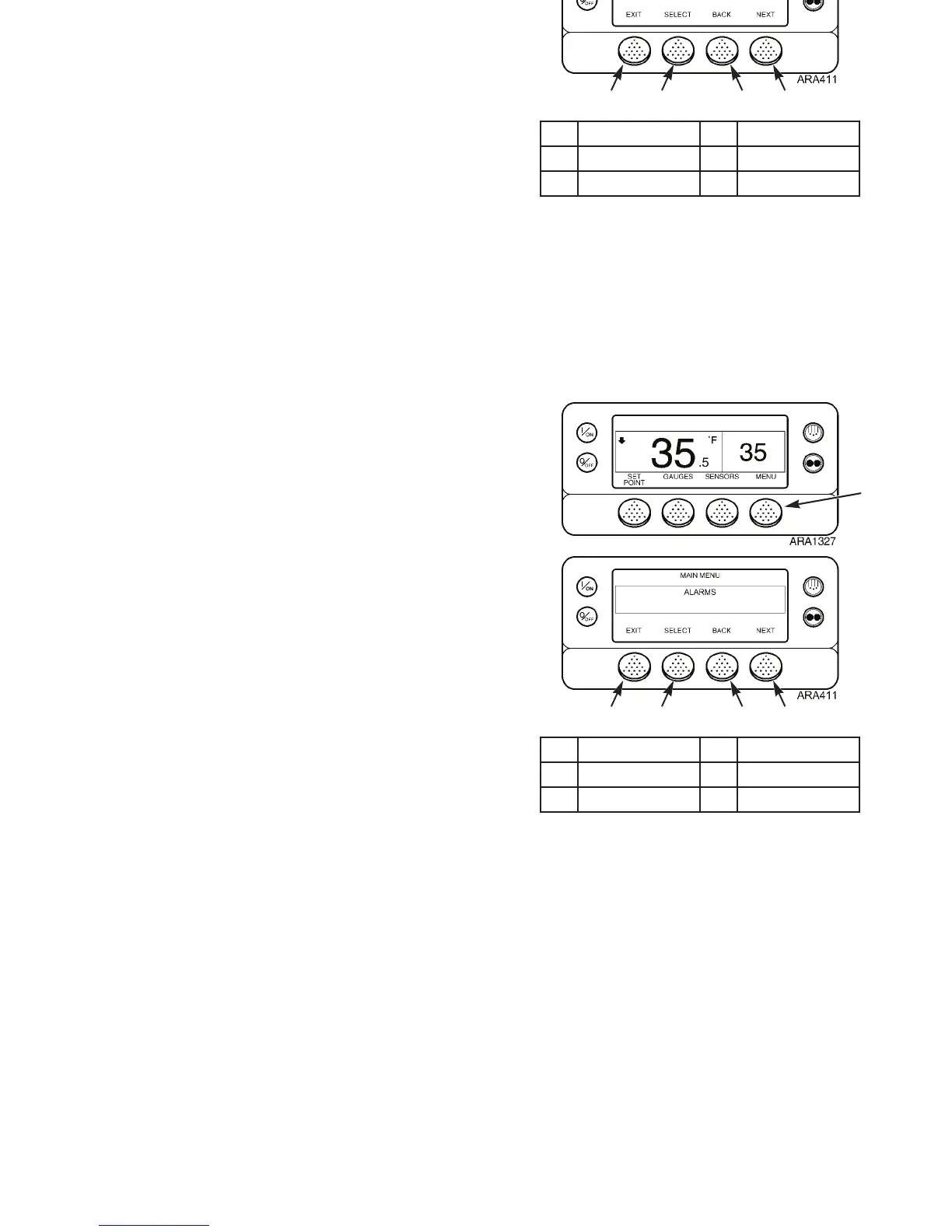
Navigating the Main Menu
The Main Menu contains individual menu areas that allow the
operator to view information and modify unit operation. Use
the following steps to access these menu areas:
1. Begin at the Standard Display.
If the Temperature Watch Display is showing, press the
M
ENU soft key once to return to the Standard Display.
2. Press the M
ENU soft key. See Figure 53.
3. Press N
EXT and BACK soft keys to scroll up or down
through the main menu areas. See Figure 53 and Figure
54.
4. Press the S
ELECT soft key to access a specific menu area
when shown on the display screen. See Figure 53.
5. Press the E
XIT soft key. To return to the Standard Display.
The Main Menu choices are shown on the next page. For
detailed information on each menu area, see the individual
explanations of each menu item on the following pages of
this manual.
1. Menu Soft Key 4. Select Soft Key
2. Next Soft Key 5. Exit Soft Key
3. Back Soft Key
Figure 53: Accessing Main Menu
2
1
345
Operating Instructions
79
Navigating the Main Menu
The Main Menu contains individual menu areas that allow the
operator to view information and modify unit operation. Use
the following steps to access these menu areas:
1. Begin at the Standard Display.
If the Temperature Watch Display is showing, press the
M
ENU soft key once to return to the Standard Display.
2. Press the M
ENU soft key. See Figure 53.
3. Press N
EXT and BACK soft keys to scroll up or down
through the main menu areas. See Figure 53 and Figure
54.
4. Press the S
ELECT soft key to access a specific menu area
when shown on the display screen. See Figure 53.
5. Press the E
XIT soft key. To return to the Standard Display.
The Main Menu choices are shown on the next page. For
detailed information on each menu area, see the individual
explanations of each menu item on the following pages of
this manual.
1. Menu Soft Key 4. Select Soft Key
2. Next Soft Key 5. Exit Soft Key
3. Back Soft Key
Figure 53: Accessing Main Menu
2
1
345



 To Next Page