Operating Instructions
56
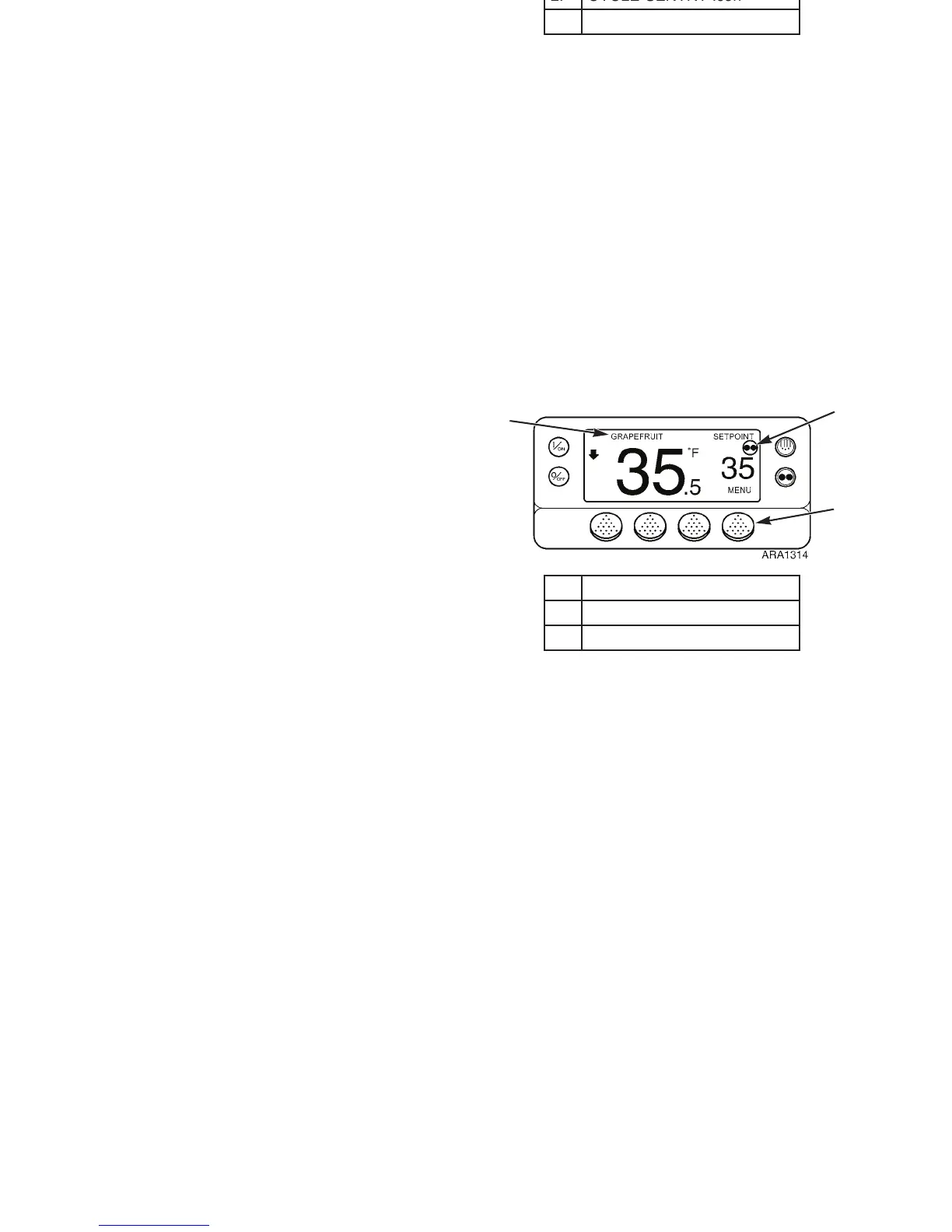
Temperature Watch Display
The Standard Display defaults to the Temperature Watch
Display after about 2-1/2 minutes of non-use (when no keys
are pressed). The Temperature Watch Display shows the same
box temperature and setpoint but in larger fonts. This creates
easy operator viewing from a distance. To return to the
Standard Display press the M
ENU soft key (or any of the other
three soft keys that are not assigned).
NOTE: A named product may appear above the temperature
reading if the controller has been programmed with OptiSet
Plus temperature profiles and a named product has been
selected.
NOTE: The CYCLE-SENTRY icon will appear in the
Temperature Watch display when the unit is operating in
CYCLE-SENTRY mode as shown below. If the
CYCLE-SENTRY icon is not present the unit is operating in
Continuous mode.
1. Named Product (If Selected)
2. CYCLE-SENTRY Icon
3. Menu Soft Key
Figure 32: Temperature Watch Display
2
3
1
Operating Instructions
56
Temperature Watch Display
The Standard Display defaults to the Temperature Watch
Display after about 2-1/2 minutes of non-use (when no keys
are pressed). The Temperature Watch Display shows the same
box temperature and setpoint but in larger fonts. This creates
easy operator viewing from a distance. To return to the
Standard Display press the M
ENU soft key (or any of the other
three soft keys that are not assigned).
NOTE: A named product may appear above the temperature
reading if the controller has been programmed with OptiSet
Plus temperature profiles and a named product has been
selected.
NOTE: The CYCLE-SENTRY icon will appear in the
Temperature Watch display when the unit is operating in
CYCLE-SENTRY mode as shown below. If the
CYCLE-SENTRY icon is not present the unit is operating in
Continuous mode.
1. Named Product (If Selected)
2. CYCLE-SENTRY Icon
3. Menu Soft Key
Figure 32: Temperature Watch Display
2
3
1



 To Next Page