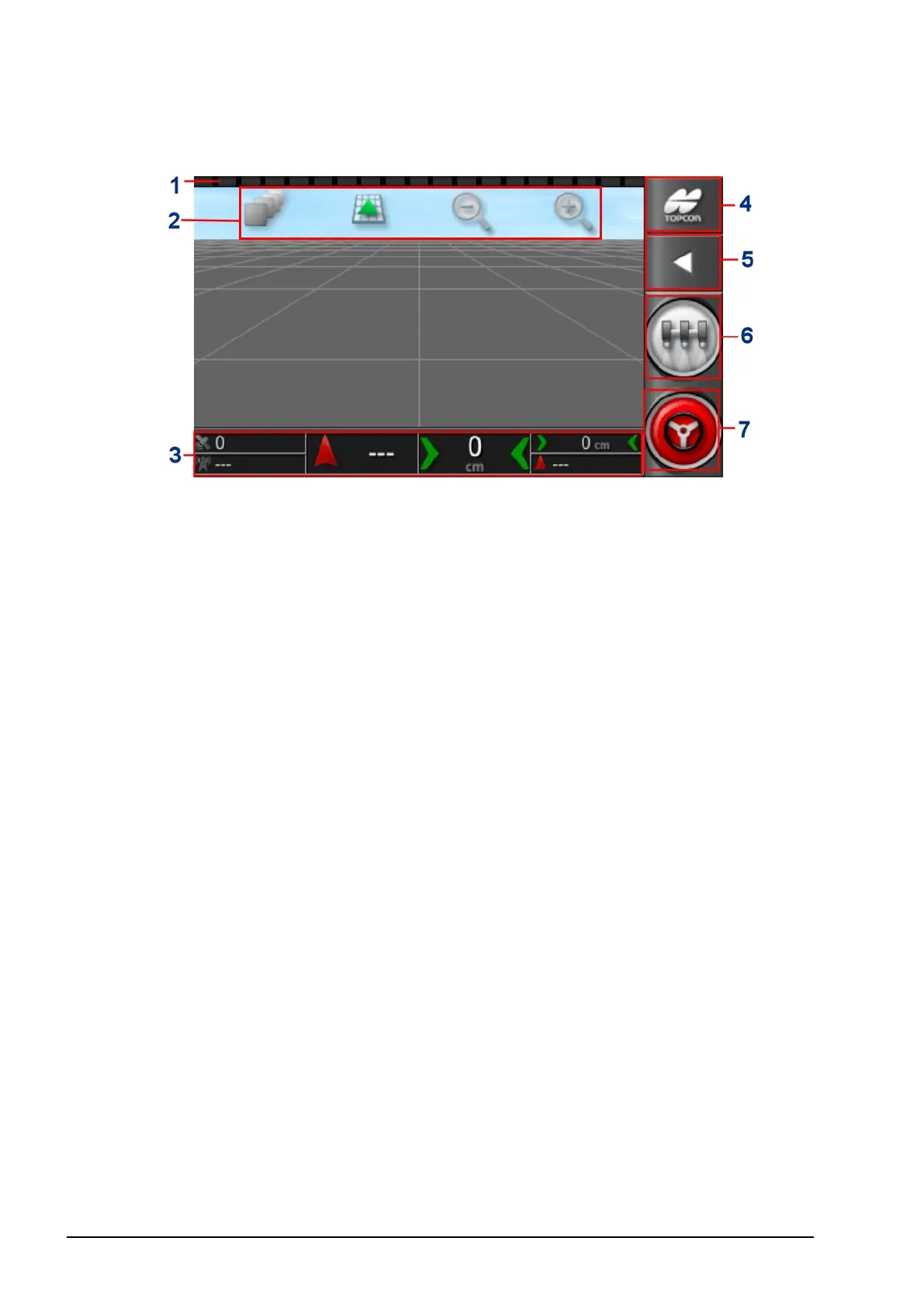
2.3. Operation screen controls
8
2.3. Operation screen controls
1
Lightbar: Used for manual guidance to the set waylines
(guidelines). Refer to Setting up the lightbar, page 22.
2
View controls: Allows the user to control what is displayed on
the guidance map and how it displays. Refer to Using view
controls, page 56.
3
Dashboard: Provides selected information from the system for
monitoring. Refer to Monitoring on the dashboard, page 62.
4
Navigation window: Displays a list of selectable views
(information screens), the setup screen and the inventory
manager. Refer to Using the navigation window, page 55.
5
Window toolbar: Provides access to tools used to control
guidance.
6
Master switch: Turns product application on and off if ‘virtual
master switch’ has been enabled during implement setup. Refer
to Setting up the master switch, page 51.
7
Auto steer engage: Turns auto steer on and off.



 To Next Page