11.6. Minimum/maximum input
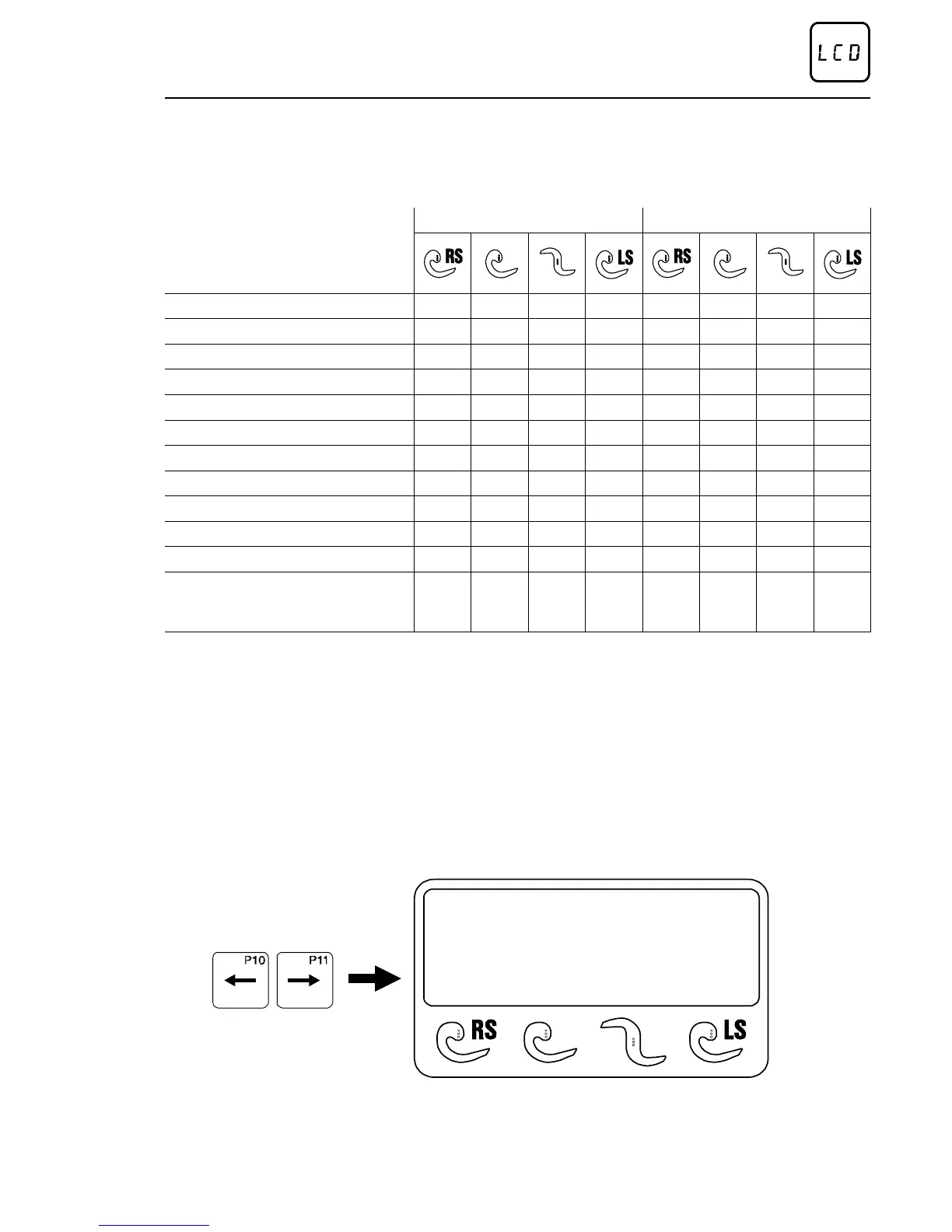
For all numeric inputs the control allows a minimum and a maximum
value.
PUMA-CE /E PUMA-CE /E HS
Cutting thickness (mm) 0,5-250 0,5-35 0,5-25 0,5-15 0,5-250 0,5-35 0,5-25 0,5-15
Length (%) 0-100 - - - - - - 0-100 0-100 - - - - - - 0-100
Number of slices (Piece) ? - 100 - - - - - - ? - 100 ? - 100 - - - - - - ? - 100
First cut (mm) 0-250 - - - - - - 0-250 0-250 - - - - - - 0-250
Remaining piece (mm) 0-250 - - - - - - 0-250 0-250 - - - - - - 0-250
Number of empty cuts - - - - - - - - - 0-99 - - - - - - - - - 0-99
Number of slices/stack - - - - - - - - - 0-99 - - - - - - - - - 0-99
Return travel - - - - - - - - - 0 - 10 - - - - - - - - - 0 - 10
1/2 slice - - - - - - - - - +/- 10 - - - - - - - - - +/- 10
Toler. in cutting thickn.(%) 0 - 20 - - - - - - 0 - 20 0 - 20 - - - - - - 0 - 20
Cutting zones 1 - 10 - - - - - - - - - 1 - 10 - - - - - - - - -
Mode of optimation
number
of slices -
per cent
- - - - - - number
of slices -
per cent
number
of slices -
per cent
- - - - - - number
of slices -
per cent
On the display, the respective minimum and maximum value is rendered
in brackets ( ) behind the value adjusted.
11.7. Adjustment of mode of operation
There are 4 possible operating modes when cutting with the TREIF
PUMA-CE ’electronic’. The current operating mode is indicated by * in
the bottom line of the display.
S3 ESCALOPES
Cutting thickness
15 mm (0,5-250)
*
The desired operating mode is set via the lower arrow keys.
Method of operation of the control
02/2005 123842-GB Page 35


 To Next Page