11.8. Program parameters
Each cutting program contains a wealth of program parameters (depen-
ding on the mode of operation selected).
The adjustable limiting values for each program parameter are displayed
in [] in the third line of the display (please also observe chapter 11.6)
s3 ESCALOPES
Cutting thickness
15 mm (0,5-250)
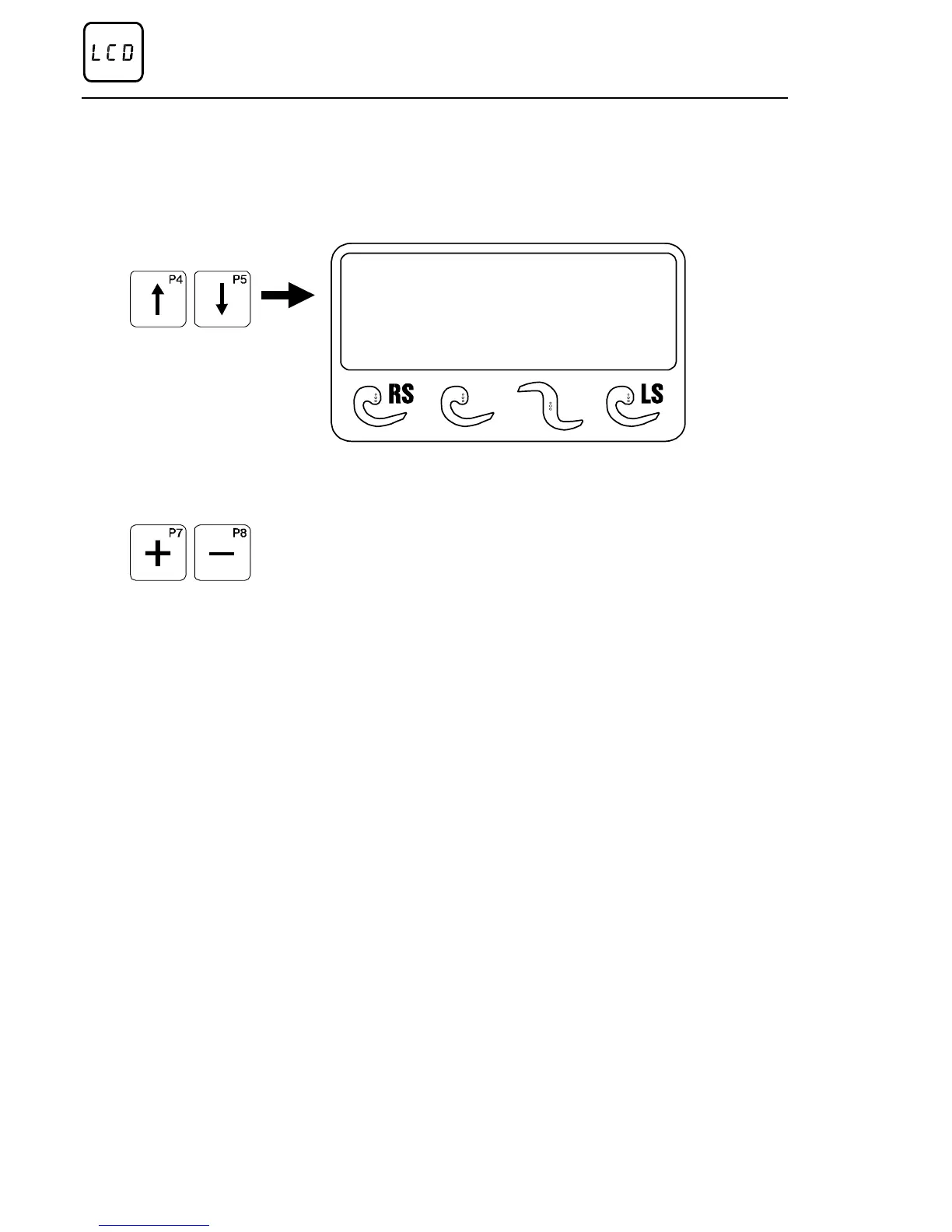
Use the two “Select program parameter” arrow keys to select the
individual program parameters in the respective mode of operation one
after the other.
By means of the “ARROW UP / ARROW DOWN” program keys, the
various cutting parameters can be selected one after the other.
The cutting parameters displayed can be changed by means of the
“+ / -” editing key.
– Cutting thickness:
The cutting thickness corresponds to the slice thickness of a cut. The
limiting values depend on the mode of operation selected.
– Length:
This parameter determines the length of a cutting zone in per cent relative
to the entire product length (= 100 %).
Depending on the type of optimisation, the Length parameter may be
replaced by the Number of slices parameter. This parameter is selecta-
ble in RS and LS modes of operation only.
– Number of slices:
Parameter to optimise a zone given a number of slices.
This parameter is selectable in RS and LS modes of operation only.
– First cut:
If a value larger than zero is entered here, a piece with a defined length
(0 to 250 mm) is cut from the product rack prior to the start of the actual
cutting process.
This parameter is selectable in RS and LS modes of
operation only.
– Remaining piece
The value entered determines the length of the product rack, which
remains on the product feed holder after termination of the cutting
procedure. The length of the end piece may be between 0 and 250 mm.
This parameter is selectable in RS and LS modes of operation only.
Method of operation of the control
Page 36 02/2005 123842-GB


 To Next Page