11.12. Operating mode single knife (single)
Selecting the cutting program
(cf. chapter 11.4:Program softkeys)
Set the main switch to »ON«.
After display of the program version, the control system automatically
performs a ’reference run’, in order to determine required length parame-
ters.
Cutting program "P1" appears a few seconds later.
s7 cutlets
CUTTING THICKNESS
22,0 mm (0,5-35)
*
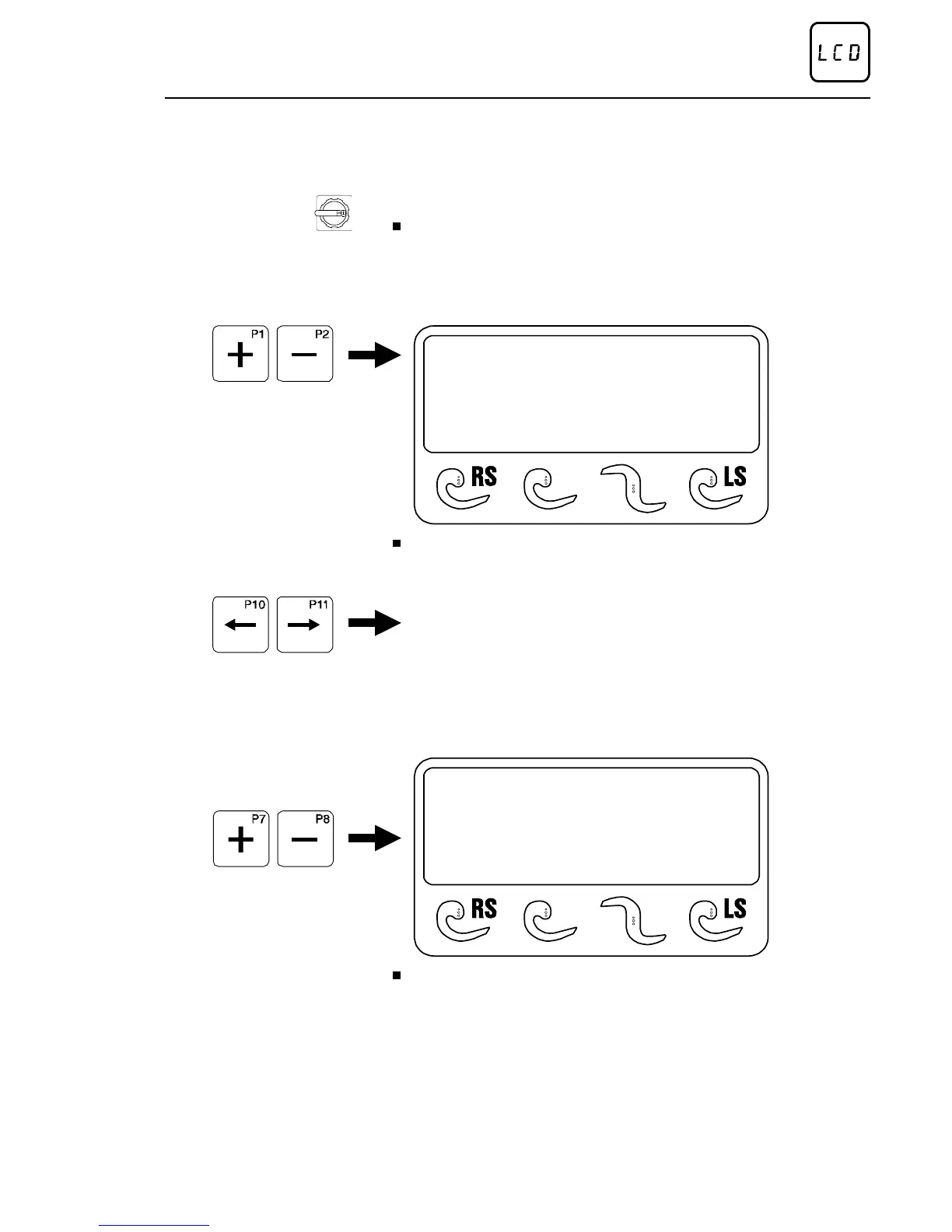
Press program selector key "+" as often as required until the desired
cutting program is attained.
Alternatively:
First of all set the operating mode by means of the lower arrow keys;
subsequently switch onward to the desired cutting program.
Set cutting thickness
NOTE: The cutting thickness can also be readjusted ON-LINE (during
the cutting process)!
s7 cutlets
CUTTING THICKNESS
22,0 mm (0,5-35)
*
Press edit key "+ / -" as often as required until the desired cutting
thickness is attained.
To start cutting program, refer to section 12.
Method of operation of the control
02/2005 123842-GB Page 41


 To Next Page