12. Cutting products
12.1. Before you start . . .
Before putting the machine into operation, check the function of the safety
buttons every day ! (chapter 8.2)
If one of the safety covers is opened or removed during a cutting process,
the machine is switched off automatically, and the knife comes to a
standstill instantaneously! By this action, the knife may come to a
standstill in the chamber.
Attention:
Danger of injury on the stationary knife!
NOTE: Before starting cutting operations, always check to ensure that
the machine is perfectly clean.If it is not, thoroughly clean and disinfect
it (see chapter 14)
12.2. Determine start function
You may select between two start functions for the following cutting
mode:
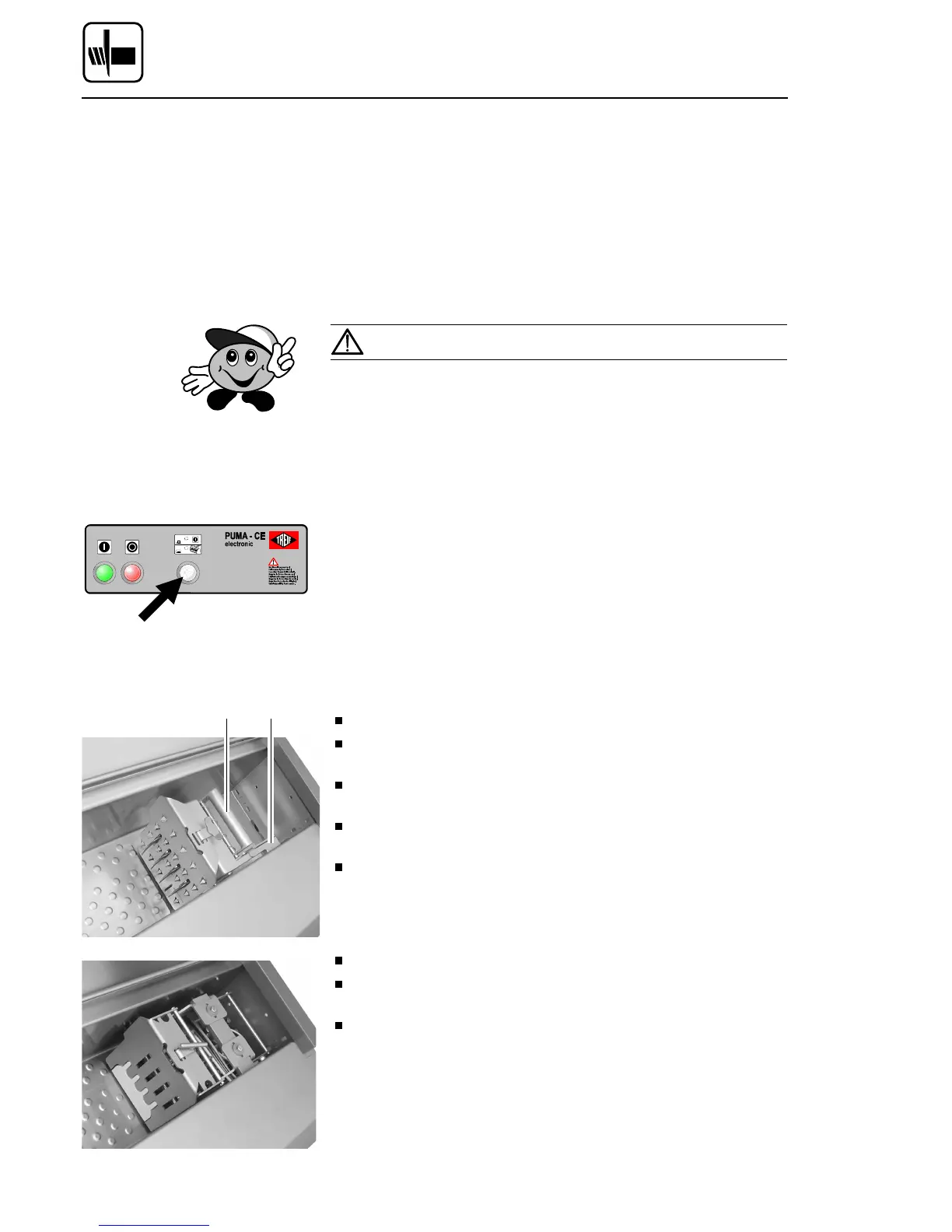
– Starting the machine via the START button:
Deactivate ’LID START’ switch (lamp off).
– Starting the machine via the replenishing cap:
Activate LID START’ switch (lamp on).
12.3. Product placing
12.3.1 Manual cutting material retainer
Open the loading door.
Lift locking lever 2 of the product feed holder: the product feed holder
opens.
Place the product in the infeed chamber, and push the product right
up to the product feed holder (cf. chapter 13.2)
Pull clamping handle 1 of the product feed holder up: the product is
attached to the product feed holder.
Close the loading door.
12.3.2 Pneumatic product holder
Open the loading door.
Place the product in the infeed chamber, and push the product right
up to the product feed holder. (cf. chapter 13.2.)
Close the loading door.
The cutting material holder automatically grips the cutting material upon
activation of the machine. The cutting material holder opens up and
automatically ejects the residual piece upon completion of the cutting
process.
NOTE: Manual closure of the cutting material holder is recommended in
the event of cutting materials with a misshapen end piece.
1 2
Cutting products
Page 54 02/2005 123842-GB


 To Next Page