12.4. Running the cutting program
Place the product as described in chapter 12.3.1
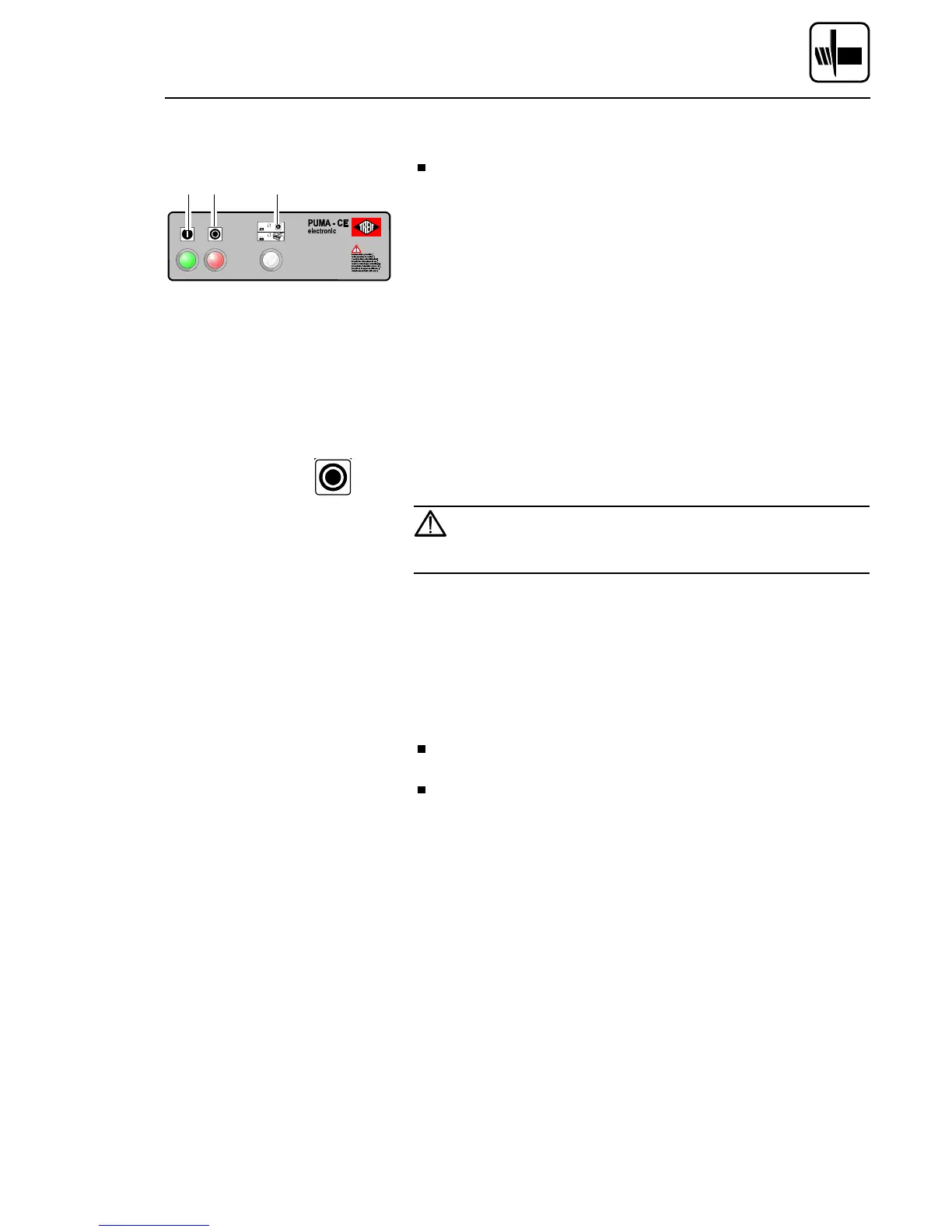
Depending on the position of the ’LID START’ 3 switch::
–
LID START OFF (lamp off):
Press START button. The machine starts running!
–
LID START ON (lamp on):
The machine starts upon closure of the replenishing cap.
Upon activation, the cutting material holder continuously pushes the
cutting material towards the knife slot. The knife stands still during this
"start-up phase". Once the cutting material has reached the knife slot, an
optical sensor activates the cutting program and the knife starts opera-
ting.
Conclusion: The cutting programs do not start when no product has
been laid in the infeed channel !
NOTE: The "STOP" button can be used at any time to interrupt the
cutting process.
In order to stop the cutting procedure as fast as possible in
case of danger, the emergency shut-down switch has to be
actuated. In this way the knife may come to stop in the
chamber. Danger of injury on the stationary knife!
12.5. After the product feed holder has returned:
The replenishing cap opens automatically upon completion of the return
journey of the cutting material holder.
Open the cover of the removal hopper, and remove the slices cut
from the chamber. (Does not apply to machines with conveyor belt).
Remove residual piece from cutting material holder (does not apply
if pneumatic cutting material holder is assembled).
1 2 3
Cutting products
02/2005 123842-GB Page 55


 To Next Page