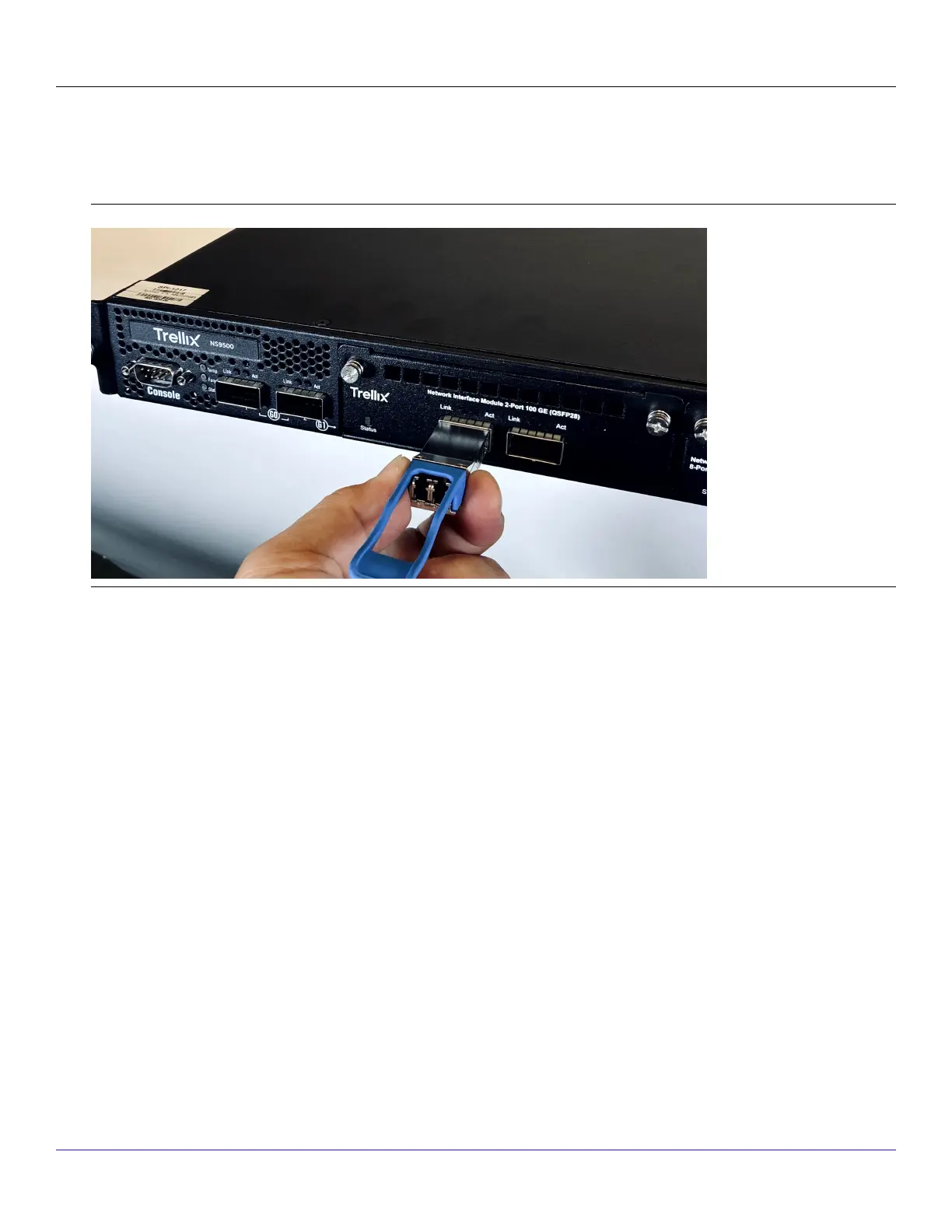
2. Locate the label on the module and make sure that the alignment groove is down.
3. Grip the sides of the module with your thumb and forenger and insert the module into the module socket.Modules are
keyed to prevent incorrect insertion.
Insert a transceiver module
:
Remove a transceiver module
Perform these tasks if you need to remove a module.
Steps:
1. Disconnect the network ber-optic cable from the module.
2. Release the module from the slot by pulling the bail clasp out of its locked position.
3. Slide the module out of the slot.
4. Insert the module plug into the module optical bore for protection.
:
Attaching cables to the Sensor
Follow the steps outlined in this chapter to connect the cables to the various ports of your Sensor.
:
| NS7500 Sensor3
Trellix Intrusion Prevention System NS-series Sensor Product Guide
145



 To Next Page