This value is used to establish a trust relationship between the Sensor and the Manager. The secret key value can be
between 8 and 25 characters of any ASCII text. The shared key value is case-sensitive. Make sure the value matches the
shared secret key value you provided in the Manager interface while adding the Sensor.
11. Type show to verify the conguration information. Check that all information is correct.
12. Type exit to exit the session.
:
Verify successful installation
Steps:
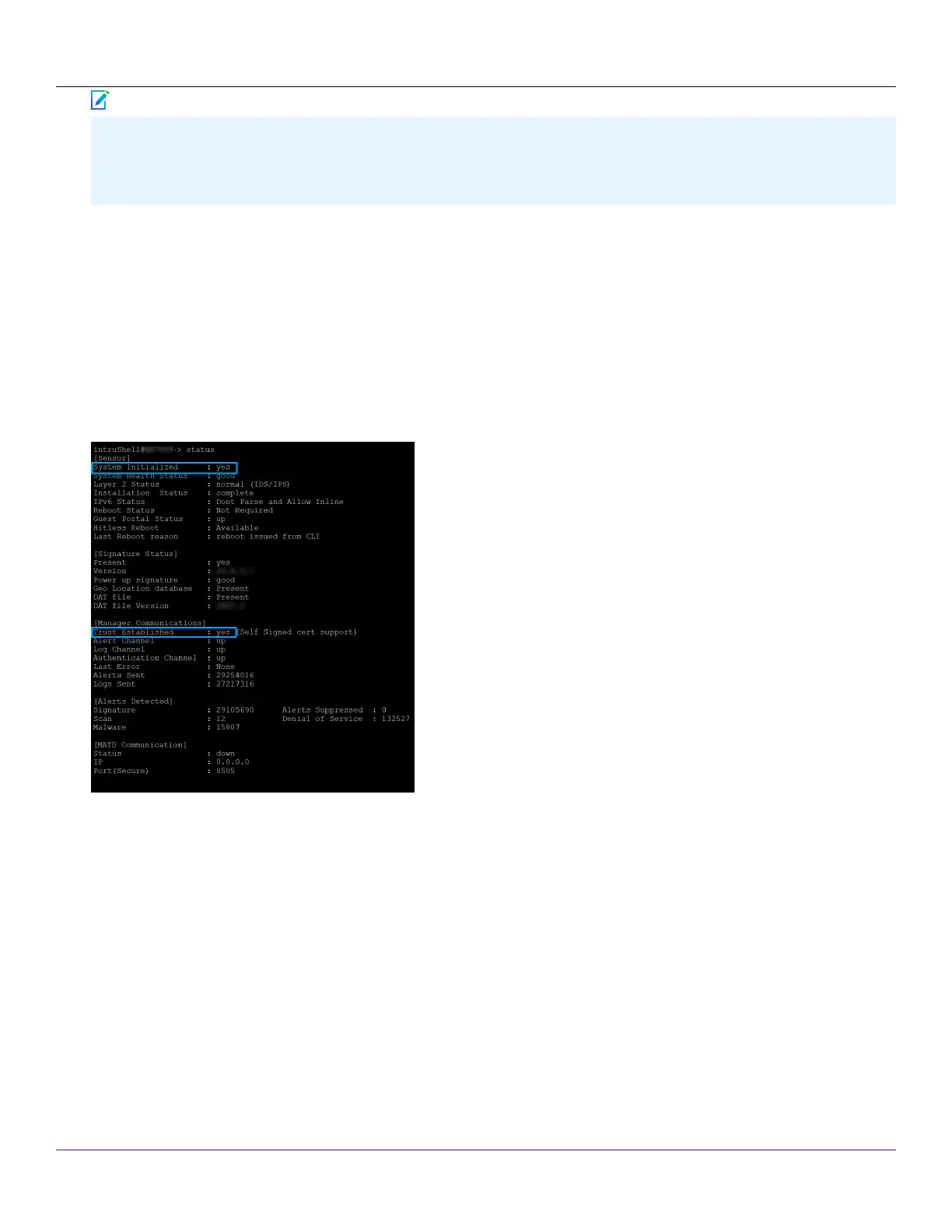
1. Type status in the Sensor CLI.The status report appears.
The Sensor parameter System Initialized should be yes, and for Manager communication Trust Established should be
yes.
2. Return to the Manager. In the Manager Home page, view the Manager status in the System Faults section.The Manager
status should be up and Sensor status should be active.
Trellix Intrusion Prevention System NS-series Sensor Product Guide
| NS9500 Sensors1
78
Note



 To Next Page