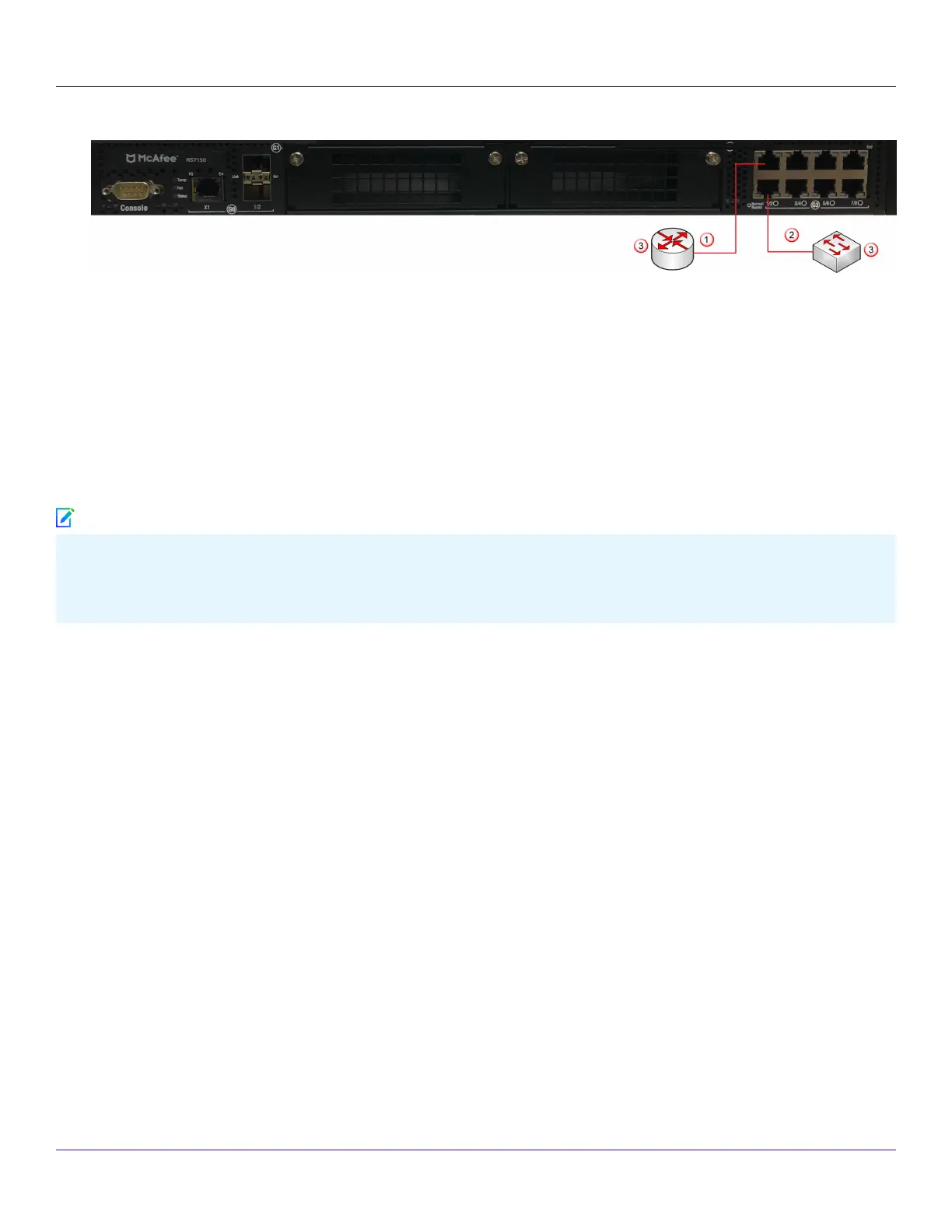
2. Plug the cable appropriate for use with your transceiver module into one of the Monitoring ports, for example G1/2.
3. Connect the other end of each cable to the network devices that you want to monitor.For example, if you plan to monitor
trac between a switch and a router, connect the cable connected to 1 to the router (3) and the one connected to 2 to the
switch (4).
:
Connect the cables for tap mode
To deploy the Sensor in tap mode, you must use a Sensor's Gigabit Ethernet Monitoring port pair with a third-party external tap.
For a list of Trellix-approved third party vendors, see the KnowledgeBase at https://supportm.trellix.com. Enter the relevant
KnowledgeBase article in Search the Support Knowledge Center and click Search to locate the relevant KnowledgeBase
article.
Steps:
1. Plug the cable appropriate for use with your transceiver module into one of the Monitoring ports, for example, G1/1.
2. Plug the cable appropriate for use with your transceiver module into one of the Monitoring ports labeled G1/2.
3. Connect the other end of each cable to the tap.
4. Connect the network devices that you want to monitor to the tap.
:
Connect the cables for SPAN or hub mode
For the Sensor, monitoring in SPAN or hub mode occurs in in-line fail-open mode. When you monitor in SPAN or hub mode, you
use only single ports.
To connect an Sensor to a SPAN port or hub, plug an LC ber-optic or 45 cable into one of the modules and connect the other
end of the cable to the SPAN port or the hub.
:
Connect the cables for Sensor Fail-Open
Trellix Intrusion Prevention System NS-series Sensor Product Guide
| NS7x50 Sensors4
190
Note



 To Next Page