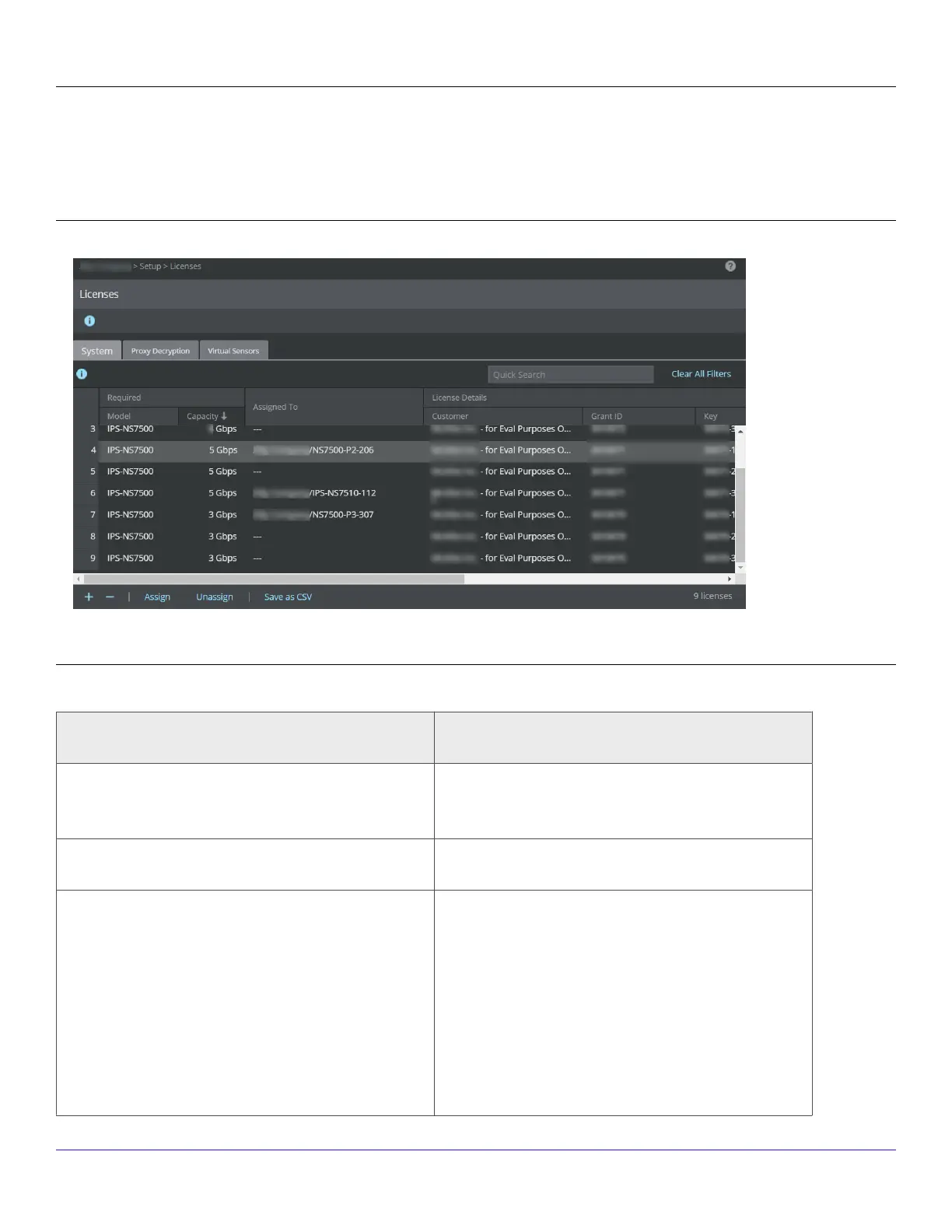
You can upload the license from the Licenses page in the Manager. In the Manager, select Manager → <Admin Domain Name> →
Setup → Licenses.
The following details are displayed on the System tab:
Upload license capacity for Sensor
Option Denition
Required Model – Sensor model compatible with the license
Capacity – Throughput limit for the license
Assigned To Name of the Sensor assigned to the license
License Details Customer – Customer for whom the license le was
generated
Grant ID – Trellix Grant ID of the corresponding
customer
Key – License key number of the customer.
Expiration – Applicable only for demo and
subscription licenses
| NS7500 Sensor3
Trellix Intrusion Prevention System NS-series Sensor Product Guide
155



 To Next Page