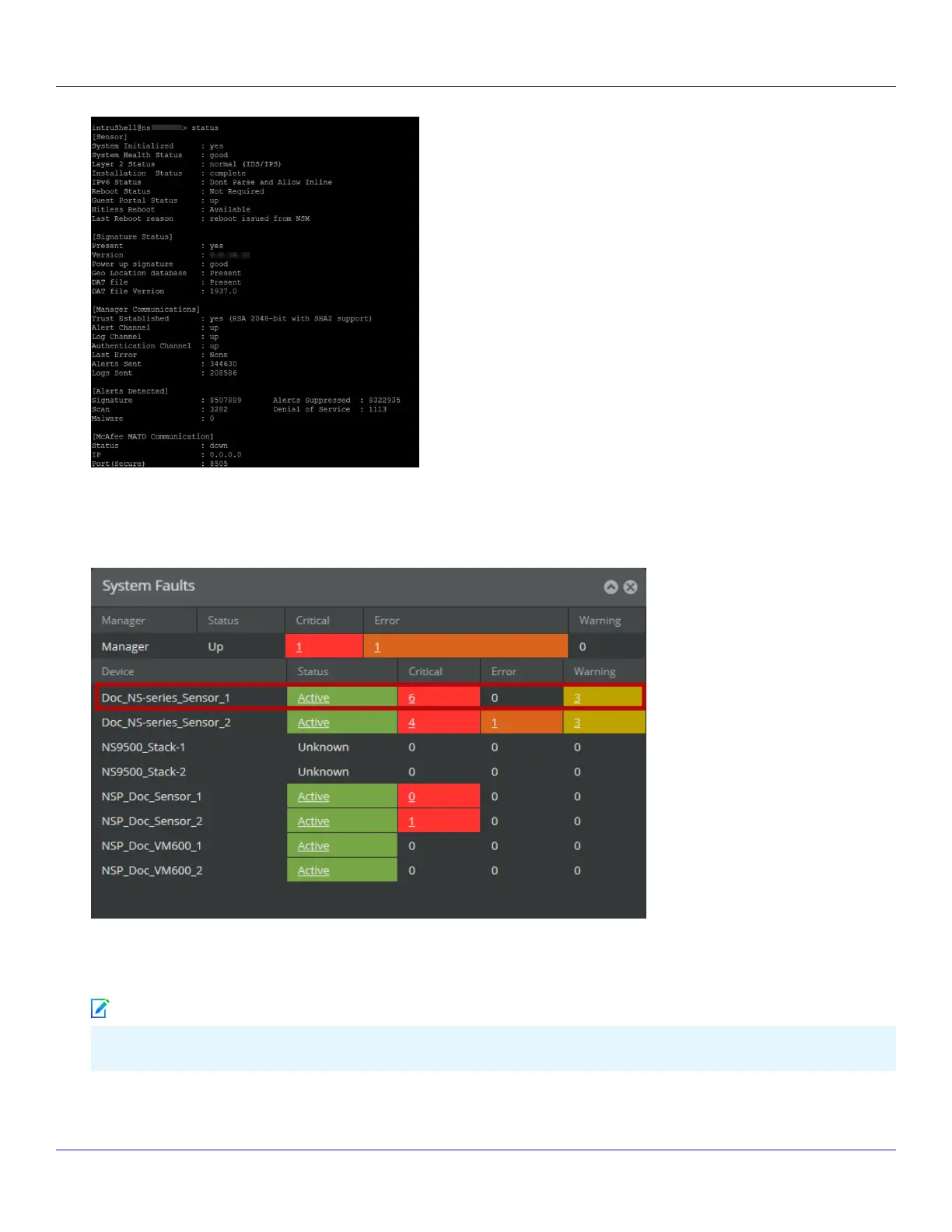
The Sensor parameter System Initialized should be yes, and for Manager communication Trust Established should be
yes.
2. Return to the Manager. In the Manager Home page, view the Manager status in the System Faults section.The Manager
status should be up and Sensor status should be active.
3. From the Manager Home page, click Congure to open the Conguration page.
4. Select your added Sensor: Device List → <Device_Name>. The ports for this Sensor appear under the <Device_Name> node.
<Device_Name> indicates the name of the Sensor you added.
| NS5x00 Sensors6
Trellix Intrusion Prevention System NS-series Sensor Product Guide
259
Note


 To Next Page