•
•
•
•
•
•
•
If you do not have an existing license with x capacity, you cannot add an upgrade license with (x + y) capacity. For
example, if you do not have a 10G license available in the Manager, you cannot add an upgrade license from 10G to
20G......100G in the Manager.
After the existing license (x) is replaced with a new license (x+y), you cannot re-import the old license (x) from which you
upgraded.
Demo licenses cannot be upgraded.
An upgraded capacity license can be further upgraded.
You can upgrade the existing capacity license as long as the license is not expired.
You can upgrade the existing NS9500 standalone to new NS9500 stack, but you must reassign the license manually to the
stack.
If the bundled zip le contains upgrade license les and new license les, you are prevented from adding it to the
Manager.
In such a case, unzip the le and add the licenses to the Manager individually.
To upgrade an existing capacity license, perform the following steps:
1.
Go to Manager → <Admin Domain Name> → Setup → Licenses.
2.
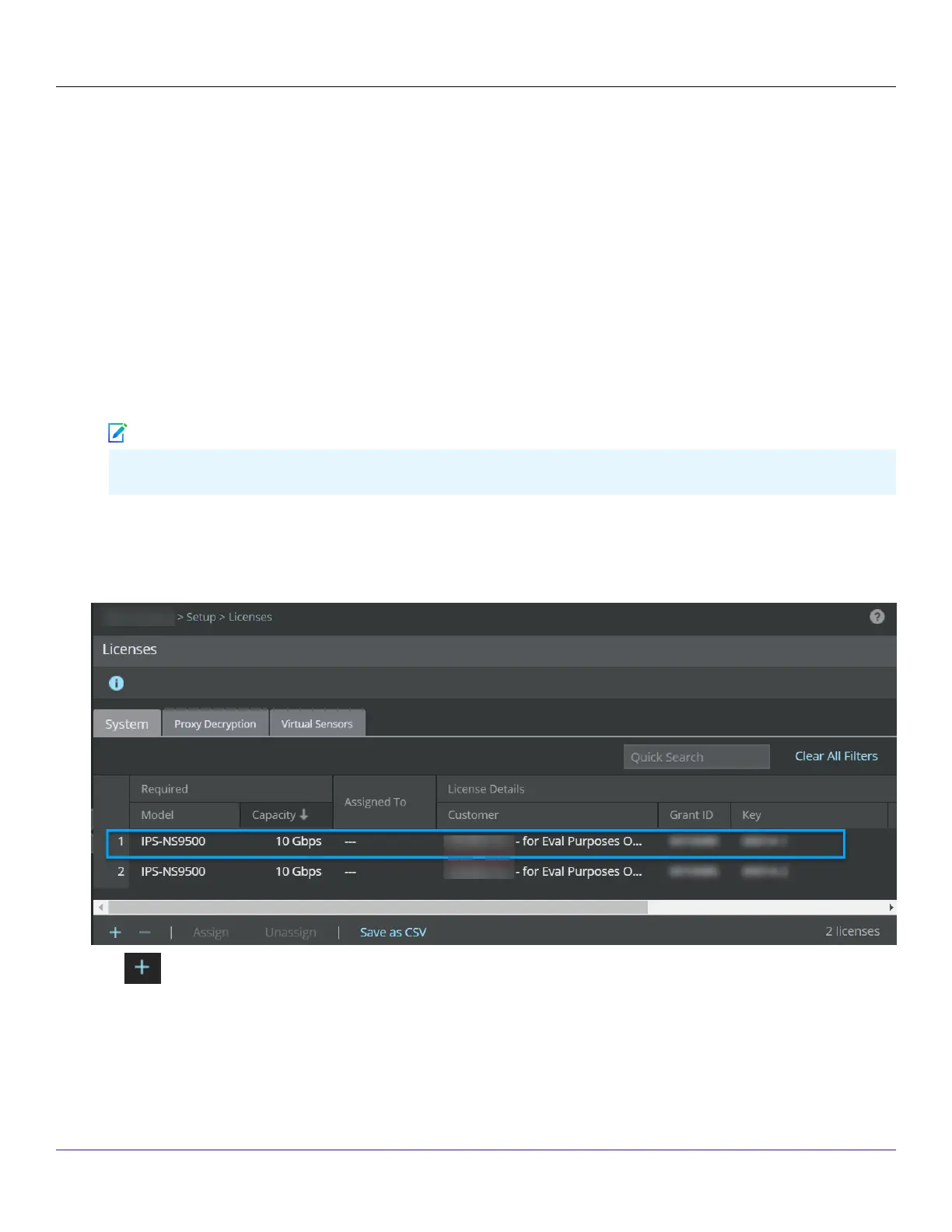
Click the System tab.The system tab with existing licenses:
3.
Click .
The Add License pop-up window opens.
4.
Click Browse.Navigate to the location where the upgrade license is saved. Select the license and click Open.
| NS9500 Sensors1
Trellix Intrusion Prevention System NS-series Sensor Product Guide
57
Note


 To Next Page