•
•
•
•
•
•
•
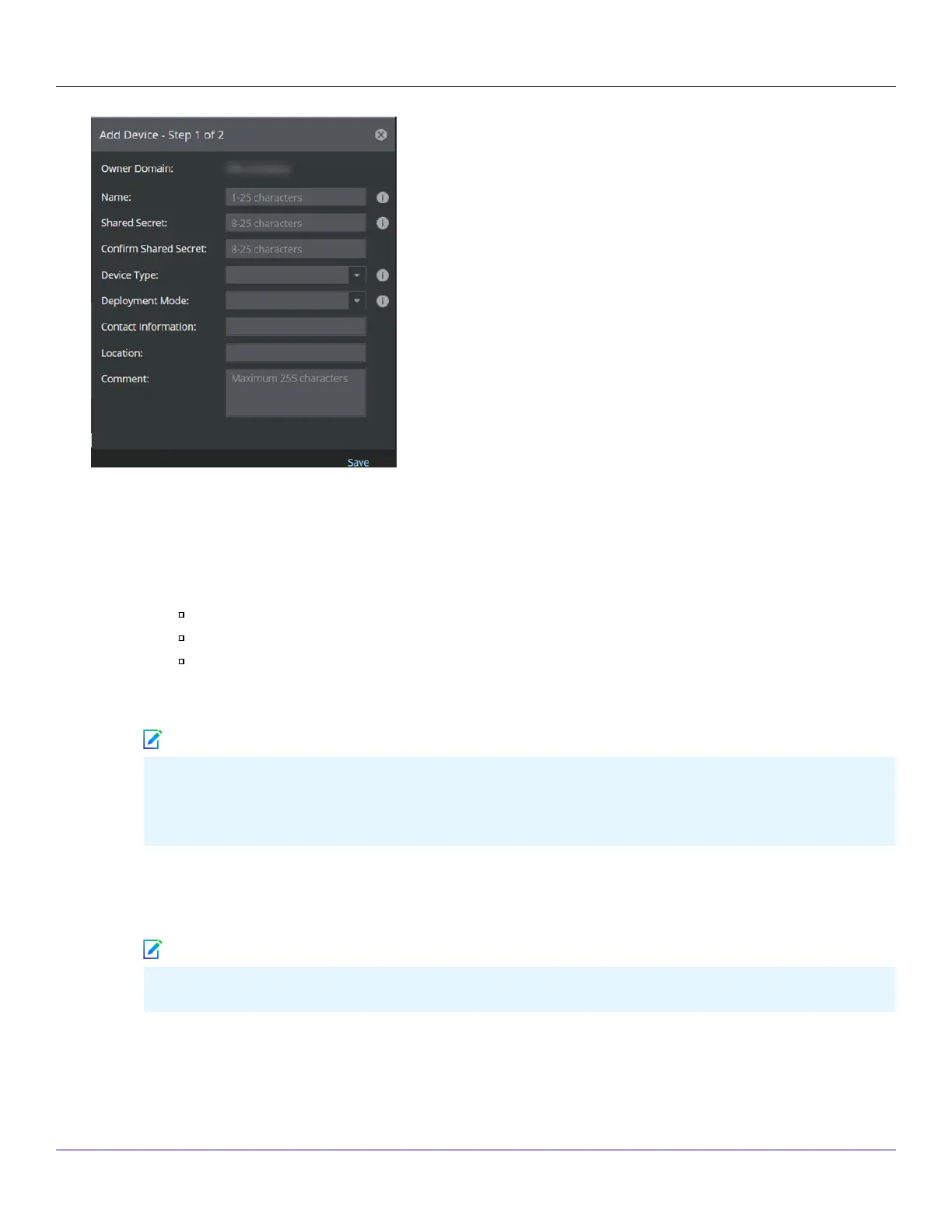
4. Enter the following mandatory information in the appropriate elds:
Name — The Sensor name must begin with a letter. The maximum length of the name is 25 characters.
Shared Secret — The shared secret must be a minimum of 8 characters and maximum of 25 characters in length.
The key cannot start with an exclamation mark nor can have any spaces. The parameters that you can use to dene
the key are listed below:
26 alphabets: Uppercase and lowercase (A, B, C,...Z and a,b,c,...z)
10 digits: 0 1 2 3 4 5 6 7 8 9
32 symbols: ~ ` ! @ # $ % ^ & * ( ) _ + ‑ = [ ] { } \ | ; : " ' , . <? /
Retype the password in Conrm Shared Secret.
The Sensor name and shared secret key that you enter in the Manager must be identical to the shared secret
that you will enter later during physical installation or initialization of the Sensor (using CLI interface) as stated
in the Congure Sensor information section. If not, the Sensor will not be able to register itself with the Manager.
Device Type — Species the type of device to be added. Select IPS Sensor.
Deployment Mode — Select Direct or Indirect.
Selecting Direct enables online Sensor update. Direct is the default mode.
Contact Information — (Optional) Type the contact information.
Location — (Optional) Type the location.
Comment — (Optional) Type the comment.
| NS9500 Sensors1
Trellix Intrusion Prevention System NS-series Sensor Product Guide
75
Note
Note



 To Next Page