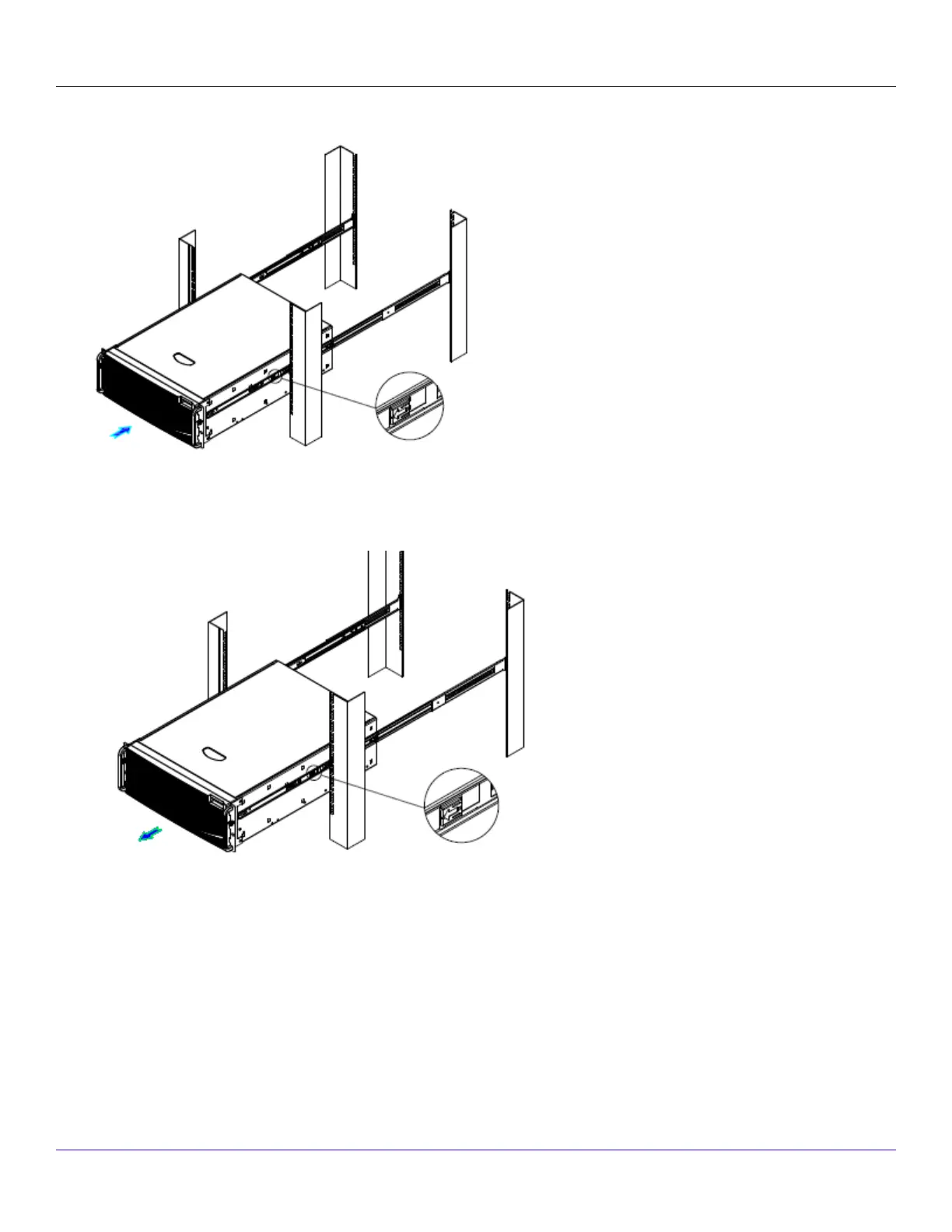
4. Pull the release button on the inner member to release the lock and allow the chassis to close.
5. Install a Sensor into the rack.Optionally, you can also mid-mount the Sensor.
6. Fully extend the slides until it is in the locked position, then pull the release button to release the lock and disconnect the
inner member from the slides.
7. Press the safety locking pin to release the inner member from the chassis.
| NS9x00 Sensors2
Trellix Intrusion Prevention System NS-series Sensor Product Guide
99



 To Next Page