AWC7813 motion controller user manual
3.16.2 Laser Parameters
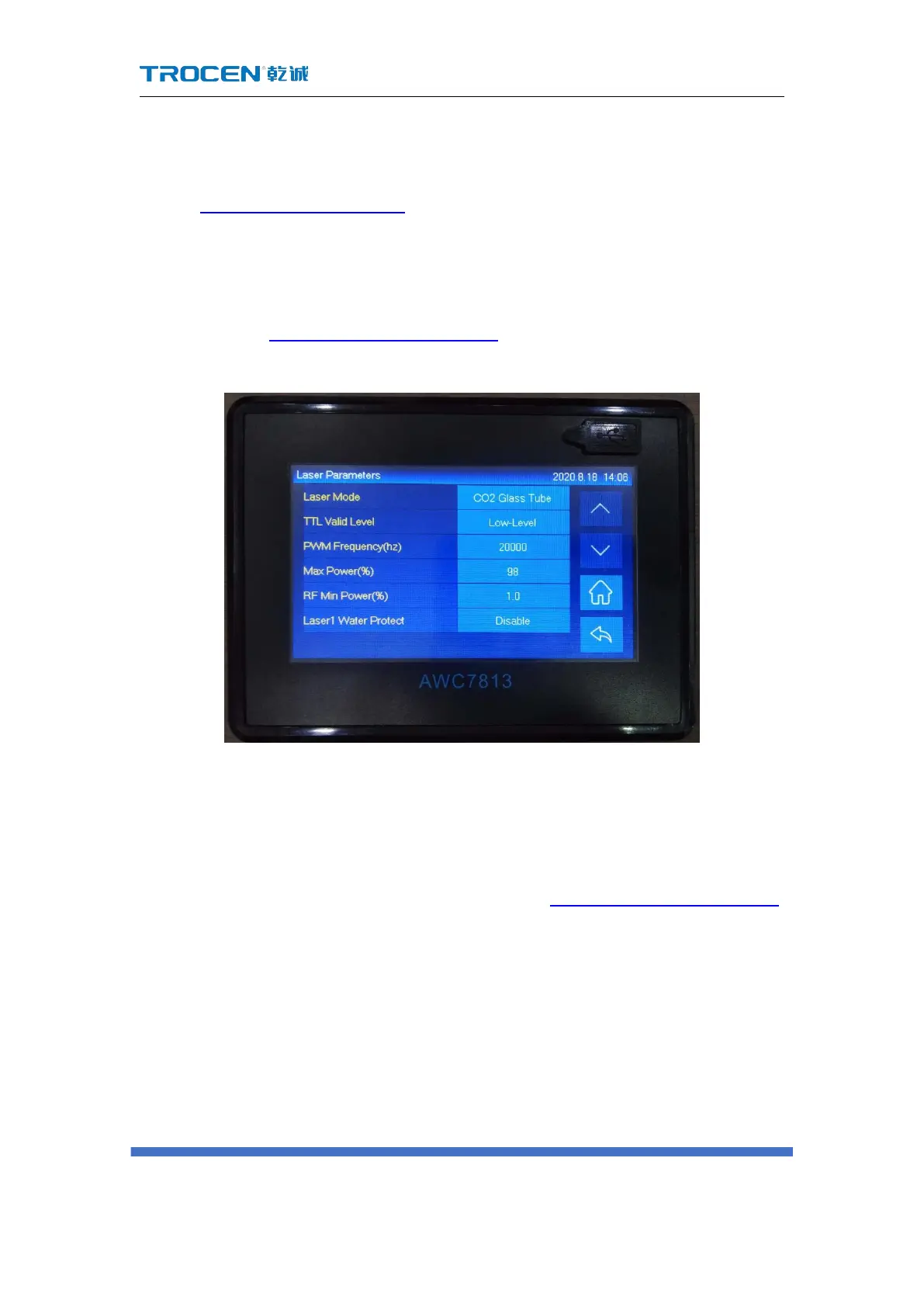
In Figure3-1-2 Main interface 2 interface, click 【 Menu 】 → 【 Manufacturer
Parameters Settings】→【Laser Parameters】 to enter the laser parameters setting
interface. Please refer to the description and wiring of the laser power control port of
the wiring board 2.2.4 Laser power control port.
Figure3-16-2 Laser parameters setting
3.16.2.1 Laser Mode
As for laser mode, CO2 glass tube and radio frequency tube are optional. Please
refer to the wiring differences between the two lasers 2.2.4 Laser power control port.
3.16.2.2 TTL Valid Level
【TTL Valid level】 refers to the control level of the laser tube, which can be set
to 【low-level】 (the TTL pin of the wiring board is connected to the L pin of the laser
power supply) or 【high-level】(the TTL pin of the wiring board is connected to the H
pin of the laser power supply). If the setting is wrong, the laser head emits light



 To Next Page