AWC7813 motion controller user manual
3.17 Network Settings
There are two situations:
Direct connection between AWC7813 control panel and computer
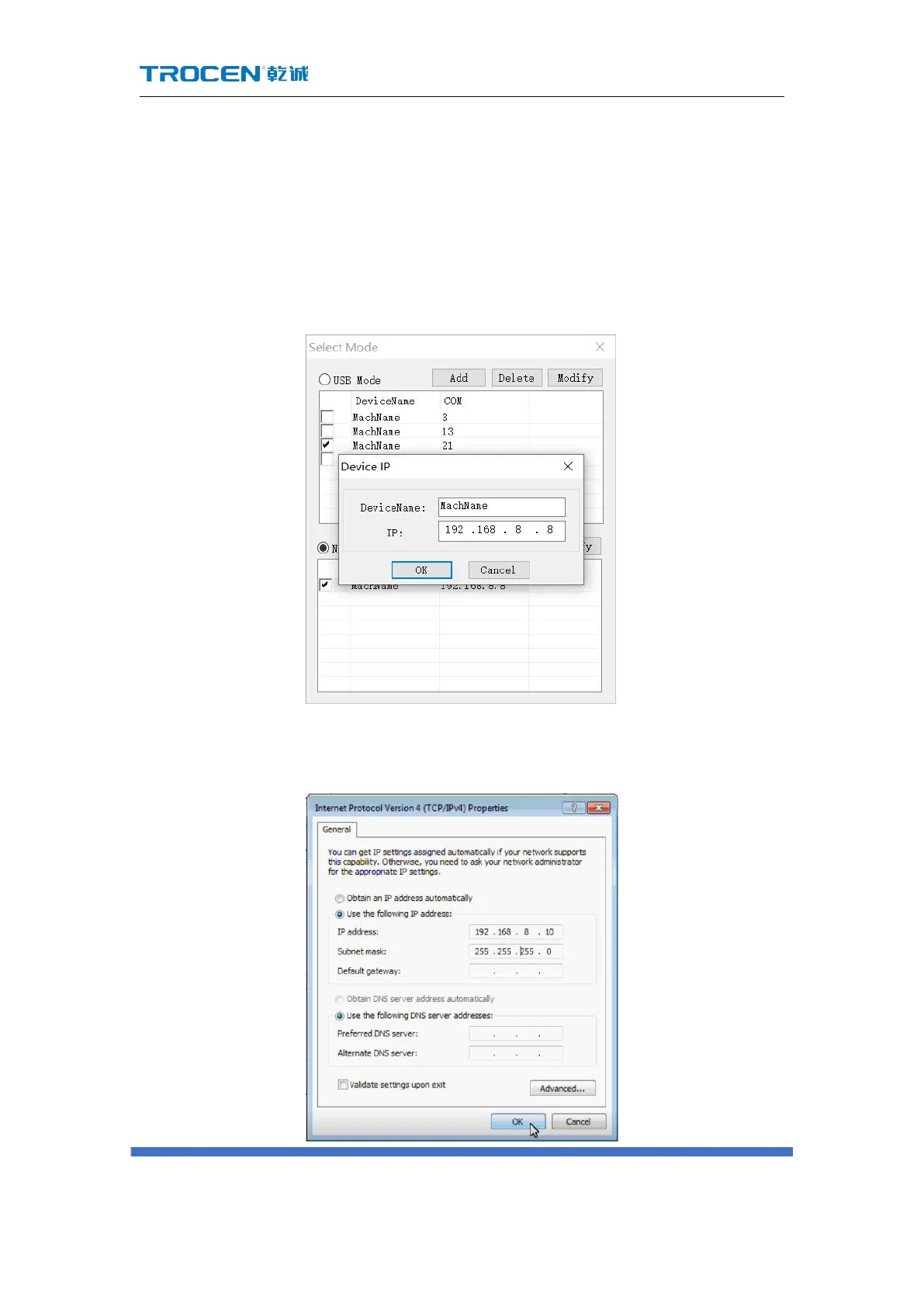
1) Set the software IP address, select network communication in the software;
Figure 3-17-1 Set software IP address
2) Set the computer network card IP address;
Figure3-17-2 Set the computer network card IP address



 To Next Page