AWC7813 motion controller user manual
3) If the selection box in front of 【Jog distance】 becomes "×", only each axis
can be moved, and the value of movement is uncertain;
4) Click the selection box in front of 【Laser】, when it becomes "√", the light
will continue to be emitted when you move the direction key.
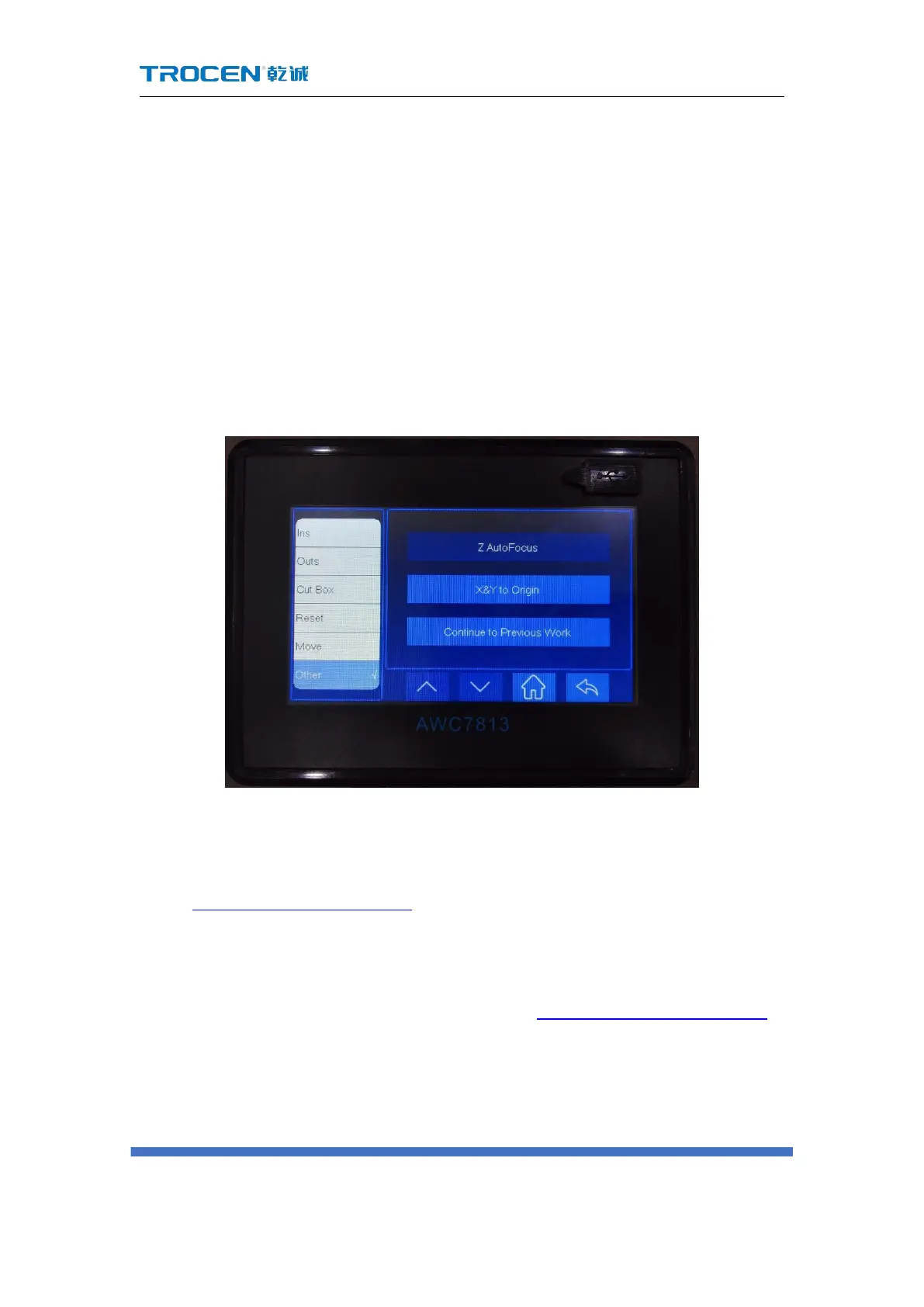
3.25 Z AutoFocus, X&Y to Origin and Continue to
Previous Work
Figure3-25 Z Autofocus, X&Y to origin and continue to previous work
3.25.1 Run Z AutoFocus function
In Figure3-1-2 Main interface 2 interface, click 【More】→【 Others】→【Z
AutoFocus】 to automatically complete focusing.
During Z-axis auto-focusing, the Z-axis drive workbench moves down at 【Z-axis
reset speed】(【Z Home Speed】please refer to3.15.3.3 Z Home Speed(mm/s)),
stop after touching the Z-limit switch, and then move up a certain distance. This
distance is the 【AutoFocus distance】.
This function is to adjust the distance between the laser head and the surface of



 To Next Page